Best AI coding tools for design-quality output in 2026.
The honest ranking is not about who writes the best code. It's about who writes the least slop on the first try. Cursor, Windsurf, Claude Code, GitHub Copilot, Cline, Continue, and Codex all produce working frontends. They also all produce the same eight visual defaults. Here is the ranking by design surface, the shared fingerprint each tool reaches for, and the bolt-on that fixes the output regardless of which one you use.
Why design quality is the new ranking criterion
Three years ago the question was: which AI tool writes correct code. That question is mostly settled. The current sevens are within a few percentage points of each other on HumanEval, SWE-bench, and the production benchmarks teams actually care about. They all complete React components, hit a Tailwind class, wire a Next.js route, and pass tests.
What separates them in 2026 is the surface a user sees. The model's default frontend taste is now the bottleneck. Every AI coding tool draws from the same training pool of GitHub repos, the same Tailwind starter templates, the same dribbble screenshots, the same component libraries. Each one independently arrives at the same visual answer when asked to "build a hero." The fingerprint is recognizable across tools.
That fingerprint is the eight shared defaults: Inter as a display face, the purple-to-blue gradient (the #7C3AED through #3B82F6 family), three equal cards in a row, fade-in-up on every direct child, the centered-everything axis, "Beautiful experiences" placeholder copy, generic stock imagery URLs, and drop shadows on flat designs. We documented all of them in the 35 AI design fingerprints taxonomy.
The honest ranking
Ranked by what each tool actually ships for design-quality frontends today, accounting for native rules support, plugin ecosystems, and lint enforcement. Star counts are live as of this writing.
| Tool | Native design rules | Plugin ecosystem | Lint in CI | Default fingerprint |
|---|---|---|---|---|
| Claude Code | Plugins (markdown) | Marketplace, MCP | Via plugin | All 8 defaults present |
| Cursor | .cursorrules | MCP, rules | Manual | All 8 defaults present |
| Windsurf | .windsurfrules | MCP, rules | Manual | All 8 defaults present |
| GitHub Copilot | copilot-instructions.md | Limited MCP | Manual | All 8 defaults present |
| Cline | .clinerules | MCP supported | Manual | All 8 defaults present |
| Continue | Config rules | MCP supported | Manual | All 8 defaults present |
| Codex CLI | Limited | None native | Manual | All 8 defaults present |
Every tool can be instructed away from the defaults. Almost none of them are instructed away by default. The right column is the same across the ranking, which is exactly the point: a ranking by code quality is settled, a ranking by design quality is still wide open, and the floor everyone shares is uncomfortably low.
Where each tool quietly wins
Every tool above has a unique strength on the design surface, even if the default output is shared. The honest read is below.
Claude Code
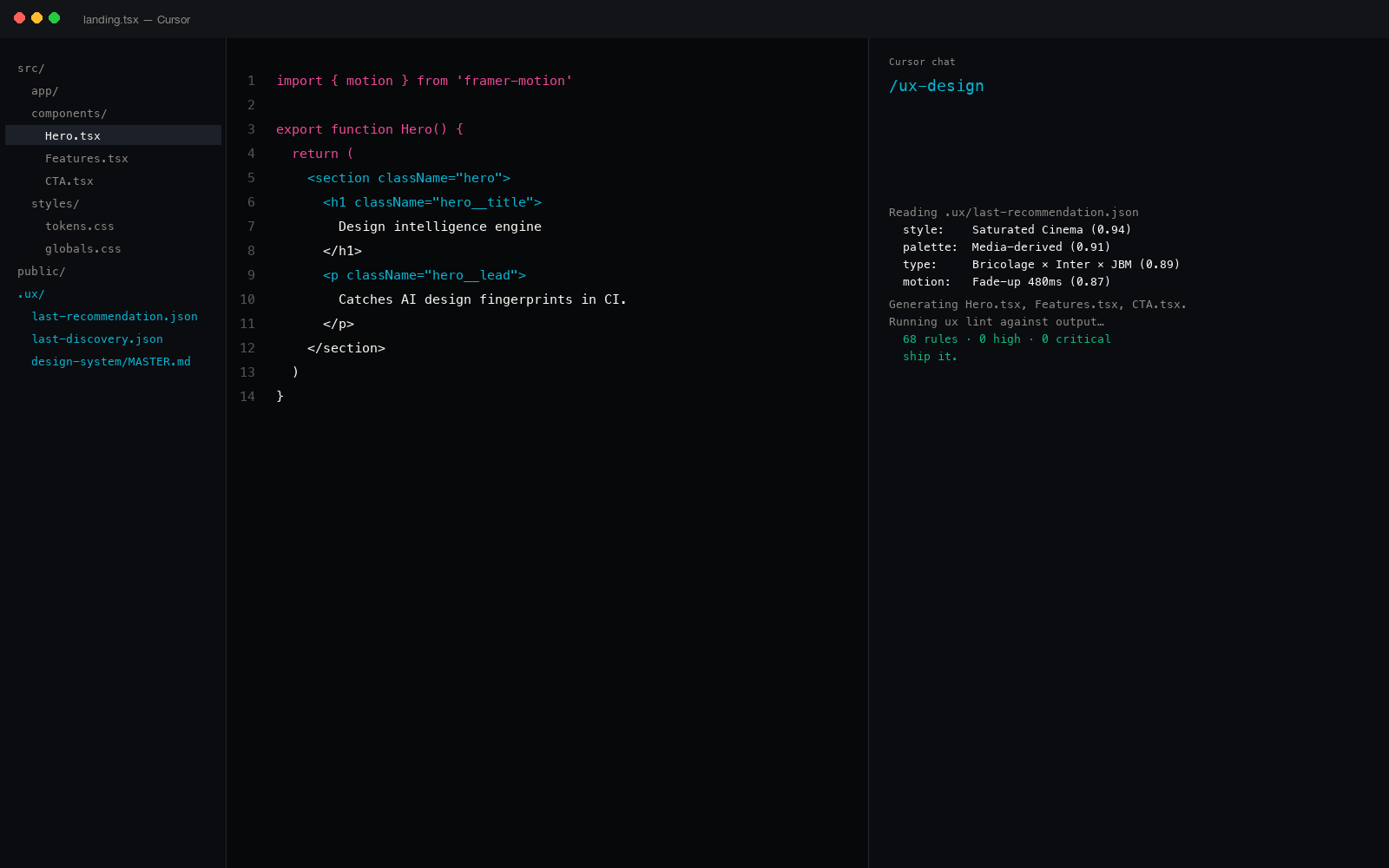
The plugin marketplace is the design-team's leverage. /plugin install a markdown plugin and the model's system prompt gains a 1,243-entry catalog or a 73-spec brand library. The leaders by stars are ui-ux-pro-max (84k), open-design (54k), taste-skill (25k). Claude Code uniquely supports a native MCP client and slash commands, so a plugin can ship slash commands like /ux-design or /ux-lint that compose with the model's normal flow.
Cursor and Windsurf
Both ship a project-local rules file the model reads before every generation: .cursorrules and .windsurfrules. The mechanism is identical; the model behavior is similar. Both tools support MCP servers, which means a Python design engine can register tools that the model can call directly. The default output without a rules file is the eight-default fingerprint, but the rules file is a clean injection point for whatever counter-defaults a team wants.
GitHub Copilot
Copilot Chat reads .github/copilot-instructions.md at session start. That file is the design-rules injection point. Copilot's autocomplete still does not read it consistently (the inline ghost text is a different model), so the workflow is: write code with Copilot, run a deterministic linter on the output, catch the fingerprint after generation. The Copilot integration writeup covers the exact instructions file structure and the lint-in-CI step.
Cline, Continue, Codex CLI
Open-source agents with smaller installed bases but identical underlying model behavior. Each has a rules-file convention; each supports MCP. Cline's strength is project-aware editing. Continue is the most configurable. Codex CLI is the fastest to script around. None of them defeat the shared fingerprint without an external system telling them which patterns to avoid.
The bolt-on that fixes the floor
ux-skill is a Python design engine that ships into every tool above through one of three install paths. The same engine (same 1,243-entry catalog, same 145 regex rules, same 160 brand specs, same 25 commands) reaches into all 17 IDEs in our compatibility matrix.
# Three install paths, one engine
$ /plugin marketplace add Laith0003/ux-skill     # Claude Code
$ /plugin install ux@ux-skill

$ pip install uxskill                            # Cursor, Windsurf, Cline, Continue, Codex

$ npx uxskill@alpha init                          # Node-first workflows
The leverage is the lint pass. Every tool above can write a hero. Only ux-skill's lint subcommand can fail a PR when the hero ships the purple-to-blue gradient on Inter at text-7xl. The 145 regex rules run sub-second on a 200-file Next.js repo, exit non-zero on any finding at the threshold, and produce JSON output that CI can parse. The linter walkthrough covers the GitHub Actions workflow and the pre-commit hook.
ux-skill is currently at 14 stars on GitHub. The leaders are at 84k and 25k. The asymmetric move is enforcement: the leaders ship recommenders that raise the floor; ux-skill ships a recommender, an MCP server, and a linter that sets the ceiling. The honest anti-slop ranking walks through where each plugin sits.
Code quality is settled. Design quality is still wide open. Whoever defines the floor wins the surface.
How to choose for a team
Three reads, one per team profile.
- Solo founder shipping a v1. Pick the tool with the lowest friction in your editor. Cursor and Claude Code are the most popular for a reason: the input loop is fast. Install ux-skill through whichever you pick; the linter will catch the eight defaults regardless of which model wrote them. The recommender will give you a one-pager design system before the first prompt.
- Design-engineering team of 3-10. Standardize on Cursor or Claude Code for the editor, run the ux-skill linter in CI as a required check, and put the 160 brand specs into the rules file so every generation samples from the same surface. The default fingerprint is a recurring code-review tax; the linter eliminates it.
- Larger team with a Figma source of truth. Use the Figma MCP server for import of existing screens and ux-skill for the rules-and-lint surface around them. The two are complementary: Figma owns the existing system; ux-skill enforces it in code generated outside Figma.
The ranking moves quickly. The defaults do not.
Tool capabilities and pricing change month to month. The eight shared defaults have been stable for two years and will likely be stable for two more, because they are emergent from the training data, not from any one product's choice. A ranking that reads outdated in six months can still be right about the floor.
The recommendation here is not "use this tool, avoid that one." It is "use whichever tool fits your editor, and install ux-skill into it so the floor is no longer the model's default." Every tool above can be made to ship design-quality output. None of them ships it by default.
Cross-IDE distribution
Same Python package, same 1,243 entries, same 145 rules, every IDE in the compatibility matrix: Claude Code, Cursor, Windsurf, Copilot, Gemini Code Assist, Aider, Continue, Cline, Roo Code, Codex CLI, Zed, JetBrains AI Assistant, plus five more. 17 IDEs from one install. Windsurf install walkthrough · Cursor install walkthrough · JetBrains install walkthrough · Zed install walkthrough.
The 75 tests that ship with ux-skill cover the engine, the linter, the MCP transport, the brand inspector, and the catalog loader. Every CI run in this repository runs them green before any release tag.