What Figma MCP is good at
When a designer already laid out the screens in Figma, Figma MCP is the right tool. The designer shipped a frame; the AI session reads it; the engineer asks for "implement the dashboard layout from frame X." The model returns code that maps frame nodes to JSX/Blade/Vue components.
Strong surfaces for Figma MCP:
- Pixel-faithful implementation. The frame is the spec. Padding, font size, hex code, all queryable.
- Variable extraction. Figma variables (color tokens, spacing tokens) come into the session as named tokens the model can reference.
- Code-connect. If your design system has code-connect mappings, the MCP returns the import path and prop signature for each component.
- Auto-layout to flexbox. Figma's auto-layout translates cleanly to flexbox / grid; the MCP carries the constraints through.
- Asset URLs. Images, SVGs, and component thumbnails are addressable.
Where Figma MCP can't help
If the design doesn't exist yet, Figma MCP has nothing to import. The "make me a dashboard" prompt without a Figma file falls back to the model's defaults, the same defaults that produce Inter at 90px and indigo-to-blue gradients. Figma MCP makes existing design accessible; it doesn't make design decisions.
What ux-skill is good at
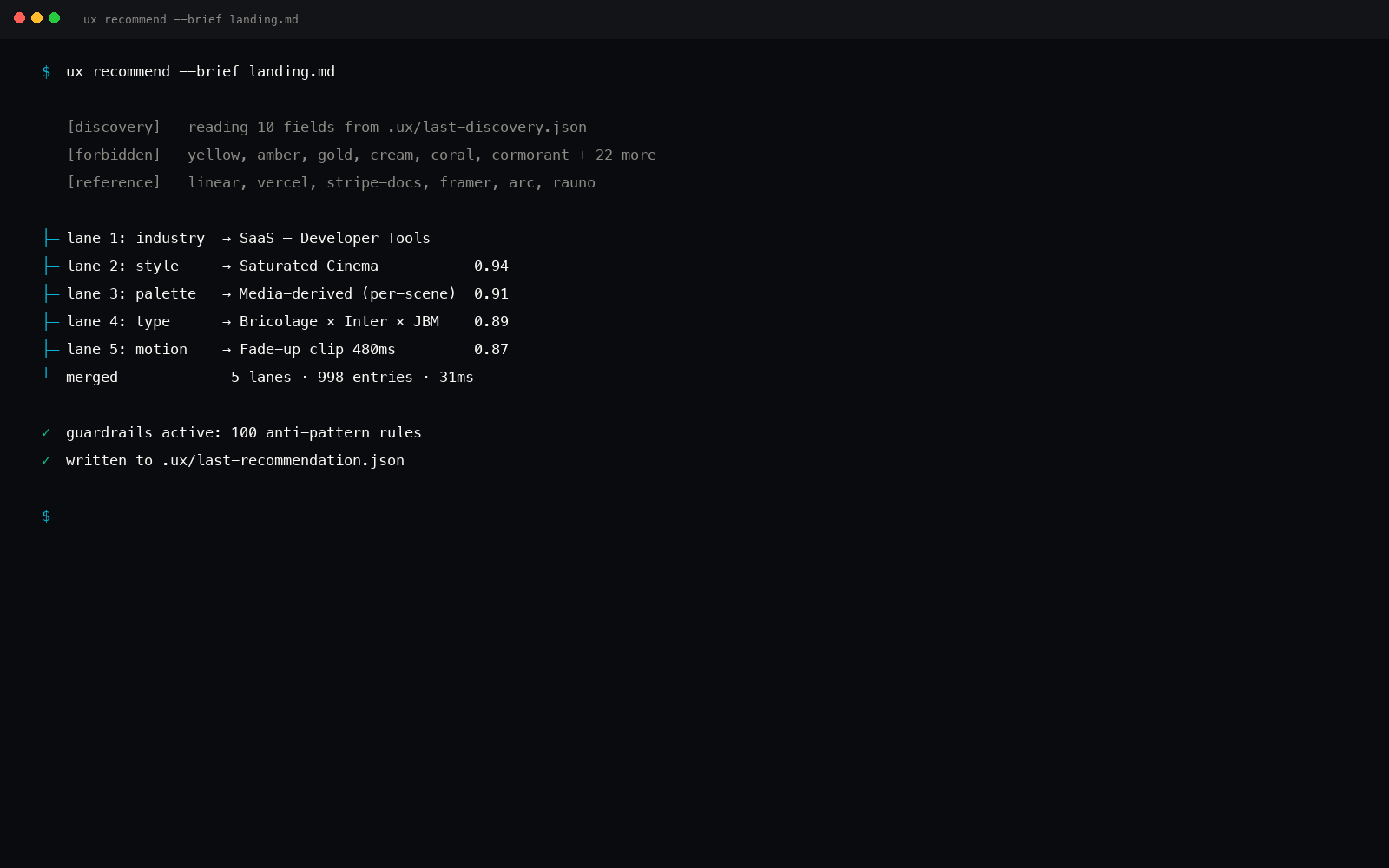
ux-skill is the inverse path. The team has a brief, not a design file. The 10-field discovery in /ux-frame takes 15 minutes; the recommender in /ux-recommend returns a design system in seconds. The output is the seed for what gets drawn later, in code first, optionally back into Figma after.
Strong surfaces for ux-skill:
- From-brief generation. No design file required. The 10-field intake produces the spec.
- Style + palette + type + motion + components as a coordinated recommendation, not five separate decisions.
- 160 brand DESIGN.md specs. Apple, Stripe, Linear, Figma, Tesla, BMW, Notion, Spotify, and 84 more. If the brief mentions a brand, the recommender pulls in the spec.
- 145-rule deterministic linter. Once code is generated, the linter catches drift from the recommended system.
- 22 chained commands. Discovery → recommend → design → critique → a11y → copy → motion → lint → fix → polish → case-study → handoff.
- Tokens.css output that drops into Tailwind config or any CSS-variable-based system.
Where ux-skill can't help
If the design is already drawn in Figma and the team wants pixel-faithful implementation, ux-skill is the wrong tool. ux-skill generates a system; it doesn't import one. You can ingest a Figma file's variable defs into ux-skill's recommender as seed values, but that's manual paste, not a live connection.
The complementary use case
The realistic workflow is both. Most teams who ask the question end up using them in sequence:
Greenfield project (no Figma yet)
- Run
/ux-frame for the 10-field discovery.
- Run
/ux-recommend, get style, palette, type, motion, components.
- Run
/ux-design, generate Blade/JSX/Vue surfaces in the system.
- Run
/ux-lint, catch any fingerprints that drifted in.
- Optional: Export tokens.css back to Figma variables for the designer to refine.
Existing Figma file (designed first)
- Load Figma MCP. Point at the file URL.
- Read frames, variables, code-connect into the session.
- Ask the model to implement frame X as a Blade/JSX component.
- Run ux-skill's
/ux-lint on the implementation to catch slop the Figma frame didn't define.
- Iterate in Figma; re-import via MCP; re-implement.
Notice the linter shows up in both flows. Even when the design comes from Figma, the AI-generated implementation can still ship Inter at 90px or a centered hero. ux-skill's 145-rule linter catches the implementation-layer slop regardless of where the design came from.
When the two overlap
There is a thin overlap, when you have a partial Figma file (logo, brand colors, type) and need to extend it into a full system the designer hasn't drawn yet. Figma MCP gives you the seed values; ux-skill's recommender takes those seeds plus the discovery brief and returns a complete system that the designer can refine back in Figma.
Practical example
The designer drew the logo, picked the brand color, and laid out the marketing hero. They didn't draw the settings page, the table views, or the empty states. Workflow:
- Figma MCP reads the brand color (an accent token) and the logo SVG.
- You paste both into ux-skill's
/ux-recommend as seed values: the brand token plus a brand spec ("warm minimal").
- ux-skill returns the full system, palette (anchored on the brand color), type pairing, motion preset, component shapes for the surfaces the designer hasn't drawn.
- You generate the settings page / table / empty states in code.
- Optionally export the new tokens back to Figma variables for the designer to align.
Honesty card
Figma MCP and ux-skill are complementary, not competitive.
We don't claim ux-skill replaces Figma MCP. Figma is the source of truth for any design that's been drawn. ux-skill is the source of truth for any design that hasn't been drawn yet, when the input is a brief, not a file.
If your team has a Figma file for everything, install Figma MCP and skip ux-skill's generator (but keep the linter for the implementation lane). If your team starts from a brief and codes the first version, install ux-skill (and add Figma MCP later when the designer joins).
The MCP plumbing
Both run as MCP servers. Both load into Claude Code via .mcp.json at project root or via the Claude Code marketplace. Both respect the same Model Context Protocol message types.
ux-skill is also installable via pip and npx, not just MCP, so it works in IDEs without an MCP host, Cursor, Windsurf, Aider, Continue. Figma MCP requires an MCP-capable client.
See install paths for Cursor and install paths for Windsurf for the non-MCP routes.
Figma MCP brings the design that exists into the AI session. ux-skill brings the design that doesn't exist yet into the AI session.
So which should you install?
Install Figma MCP if
- The design is already drawn in Figma and you need to implement it in code.
- Your team has a mature design file with components, variables, and code-connect.
- The bottleneck is "translating Figma to code," not "deciding what to design."
Install ux-skill if
- The design doesn't exist yet, you're starting from a written brief.
- You need a 145-rule linter that catches AI slop in any generated code, Figma-derived or not.
- You're working in Cursor, Windsurf, Aider, or any IDE without an MCP host.
- You want 160 brand DESIGN.md specs as queryable manifests when the brief mentions a brand by name.
Install both if
- You have a partial design file and need to extend it into the surfaces the designer hasn't drawn.
- You want the linter to run on Figma-derived implementations to catch implementation-layer slop.
- You're building a design-to-code pipeline where Figma is the canvas and ux-skill is the recommender + audit.
Figma MCP and ux-skill don't compete. They sit in different parts of the design-to-code arc, one reads what exists, one generates what doesn't. Pick by where your bottleneck is.
Related reading