Windsurf design rules: install ux-skill for Cursor-grade output.
Windsurf is built for agent-driven coding through Cascade. It's fast on code, deliberately neutral on aesthetics. When you ask Cascade to "design a settings page," you get the same model defaults Cursor and Claude Code produce, Inter at 90px, indigo gradients, three equal cards. ux-skill drops in as a constraint layer alongside Windsurf and changes that.
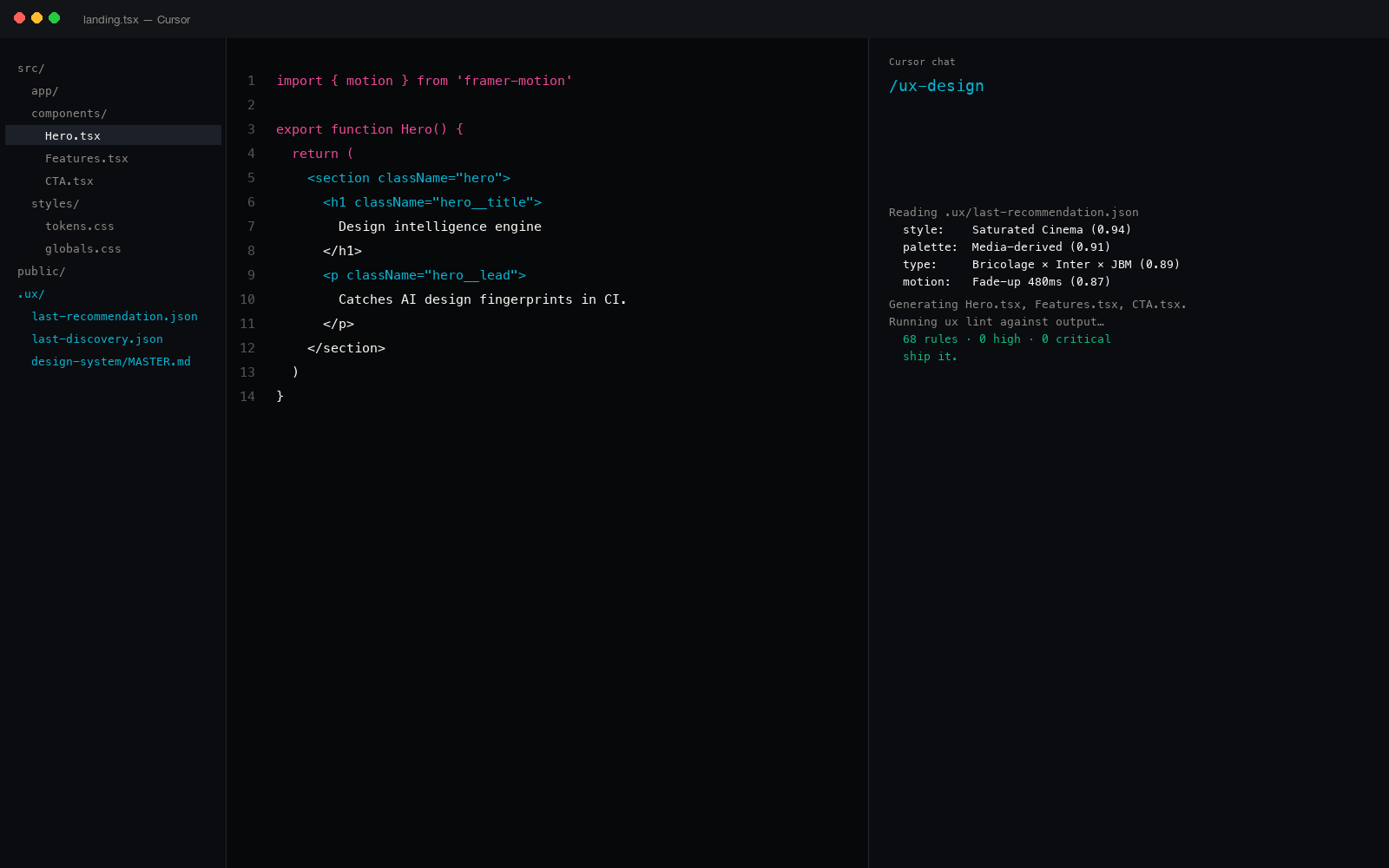
How Windsurf handles design today
Windsurf has no native design rules. The Cascade agent is excellent at code generation and refactor; it inherits whatever design taste the underlying model has. With nothing in .windsurfrules overriding defaults, the output reverts to the model's baseline aesthetic, the same baseline you see in any unconstrained AI design output.
Fixing that means feeding constraints in alongside the prompt. Windsurf has three viable paths:
- .windsurfrules, Windsurf's project-level rules file. Loaded into every Cascade prompt as system context.
- Global rules, user-level rules at
~/.codeium/windsurf/memories. Apply to every project. - External tool, run a CLI alongside Windsurf, feed its output back via the terminal pane or rules file.
ux-skill works through all three. The most common install uses .windsurfrules seeded by an npx command.
Three install paths in Windsurf
The .windsurfrules path (fastest)
Generate ux-skill's rule pack into .windsurfrules at project root. The 152 anti-pattern rules plus brand-spec references become system context that Cascade sees on every prompt. No runtime dependency.
$ npx uxskill@alpha init --target windsurf
# Writes .windsurfrules with 35 rules + brand spec references
Best for: existing Windsurf projects where you want design rules without changing your toolchain.
The npx wrapper path (most powerful)
Run ux-skill commands directly from Windsurf's integrated terminal. The full Python engine wraps behind npx, so you don't need a separate Python install. All 25 slash commands work: discover, recommend, design, lint, fix, polish, copy, motion.
$ npx uxskill@alpha lint ./src # 145-rule anti-slop pass
$ npx uxskill@alpha fix ./src/components # apply lint fixes
Best for: actively designing inside Windsurf with the recommender, generator, and lint lanes all available.
The pip install path (CI-ready)
If your Windsurf project already has Python tooling, install ux-skill as a dev dependency. The ux CLI installs as a normal entry point. Add ux lint --threshold high to your pre-commit hook or CI pipeline for slop defense at commit time.
$ ux lint ./src --threshold high # exit 1 on high-sev fingerprints
# In .pre-commit-config.yaml or .github/workflows/*.yml
Best for: production projects with a CI pipeline. The 35 regex rules become a non-zero exit code gate.
What changes when ux-skill runs in Windsurf
Same Cascade prompt, "design a settings page for a fintech dashboard." Windsurf without ux-skill vs Windsurf with ux-skill loaded.
The fingerprints arrive on schedule.
- Inter at 72px / line-height 1.0 for the page title
- Indigo-to-blue gradient on the "save" button
- Three equal cards: "Profile," "Notifications," "Billing"
- Generic placeholder identities throughout the page
- Hamburger menu visible on the desktop layout
- fade-in-up 0.3s ease-out on every form section
- Five-star testimonial widget that nobody asked for
The recommender forces a system first.
- Recommender returns: dense-functional + cool slate + Geist/Inter pair + restrained motion
- Brand spec reference: Linear (settings-surface idiom)
- Page title in Geist at 36-48px, Inter 14px body
- Neutral surface, one accent color, no gradients
- Two-column settings layout (nav + content), not three equal cards
- Hierarchy-aware motion: page opens, sections cascade
- Linter pass: 35 rules check the output, exit 1 if a fingerprint sneaks through
Same Cascade. Same model. The difference is the constraint layer Windsurf reads on every prompt.
Why Cascade benefits more than chat does
Cascade is Windsurf's agent loop, it generates, refines, and iterates without a human in every turn. That means the model's defaults compound. If turn 1 ships Inter at 90px, turn 2 inherits Inter at 90px and adds more on top. By turn 5 the entire codebase has the same fingerprint.
A rules file in .windsurfrules is read on every turn. The 152 anti-pattern rules and the brand spec references stay in context across the whole Cascade run. The constraints don't drift; the defaults can't compound.
What ux-skill ships
For Windsurf users, the relevant numbers:
- 1,243 structured entries across 12 JSON manifests, styles, palettes, type pairings, motion presets, components, industry rules, chart types, tech stacks, anti-patterns, brand specs, UX laws.
- 145 deterministic regex rules in the anti-slop linter. No LLM judgment in the audit lane.
- 160 brand DESIGN.md specs. Apple, Stripe, Linear, Figma, Tesla, BMW, Notion, Spotify, and 84 more.
- 25 slash commands covering discovery, recommendation, generation, audit, polish, and handoff.
- 5 specialized sub-agents for parallel role work.
- 17 IDEs supported. Windsurf is one of them. Cursor, GitHub Copilot, Gemini Code Assist, Aider, Continue, Cline, Roo Code, Codex are others.
Pairs well with shadcn/ui and Tailwind
ux-skill doesn't ship its own component library. In Windsurf, the natural pairing is:
- ux-skill picks the design system (style + palette + type + motion).
- shadcn/ui or Tailwind UI provides the actual component snippets in that system.
- ux-skill's linter catches drift from the system in the generated code.
ux-skill is the brain; shadcn/Tailwind are the hands. The recommender writes tokens.css that drops straight into tailwind.config.js, so the component library inherits the chosen palette and type ramp without manual wiring.
Windsurf is excellent at agent-driven coding. ux-skill is the constraint layer that turns "design something" into "design within these specific rules", across every turn of the Cascade.
What it doesn't do
- No live preview. ux-skill is a recommender + linter. For preview, use Windsurf's normal preview workflow or pair with v0.dev / Bolt.new.
- No Figma sync in v2 (planned for v2.2). For Figma integration, use the Figma MCP and feed tokens back into the Figma file.
- Not a component library. 148 components in the catalog are descriptions of what to build, not finished snippets. Pair with shadcn/ui or Tailwind UI for actual implementations.
- Not branded. ux-skill is 14 stars on GitHub. ui-ux-pro-max is 84k. If you need community momentum, install both and compose them.
About the 14-star claim
ux-skill v2 is new (v2.0.0-alpha.1 shipped a few weeks ago) and solo-maintained. We don't have the install base ui-ux-pro-max or hallmark have. The case for installing is architecture, Python engine, 1,243 entries, 145-rule deterministic linter, 160 brand specs, cross-IDE distribution, not awareness.
Install it for the linter and the brand specs. If you only need a prompt-only taste primer, taste-skill (25k stars) is also reasonable. Both are MIT.
Five minutes to working
End to end from a fresh Windsurf project:
- Open Windsurf's integrated terminal in your project directory.
npx uxskill@alpha init --target windsurf, writes.windsurfrulesand seeds the brand spec references.npx uxskill@alpha discover, answers the 10-field discovery, writes.ux/last-discover.json.npx uxskill@alpha recommend, reads discovery, returns style + palette + type + motion + components, writestokens.css.- Open Cascade. Ask it to generate inside that system. The recommendation is in
.windsurfrules; Cascade can't drift to defaults. npx uxskill@alpha lint ./src, 145-rule pass. Fix any flagged lines withux fix.
Total install + first generation: under five minutes. Total cost: zero. License: MIT. The same workflow applies when you use Claude Code alongside Windsurf. A step-by-step guide covering both editors is at how to add a design system to Claude Code and Cursor.
Related reading
- Cursor design plugin, same engine, different IDE
- The 35 AI design fingerprints, full taxonomy
- Anti-AI-slop tools, the honest ranking
- Figma MCP vs ux-skill, when to pick which
- Compare ux-skill v2 against the field
- About ux-skill, the project and the maker
- FAQ, Windsurf-specific install questions
- Roadmap, Windsurf v4 support coming