Best Claude Code marketplace plugins for design and frontend in 2026.
Claude Code's marketplace shipped in 2025 and the design-and-frontend corner of it is now the deepest. Ten plugins are worth a slot in your install list if you build UI for a living. Below: live star counts, the exact /plugin install command, what each one actually does, and where each fits.
Why ten and not fifty
The marketplace lists hundreds of skills. Ten is the install count a real frontend engineer can hold in working memory and reach for without thinking. Past ten, you start forgetting which plugin owns which surface and you spend more time on conflicts than on shipping. We picked ten that don't overlap and cover the design-to-code arc.
Star counts below are pulled live on 2026-05-28. All install commands are the canonical marketplace path: /plugin marketplace add <owner>/<repo> followed by /plugin install <name>@<repo>.
The 10 plugins, ranked
ui-ux-pro-max-skill: design system recommender
The most-installed UX skill on GitHub. Python recommender pattern with five parallel searches (industry, style, palette, type, motion) merged into a single recommendation. Big catalog, big community, big install base.
$ /plugin install ui-ux-pro-max@ui-ux-pro-max-skill
Best for: anyone starting a greenfield UI project who wants a sensible style/palette/type combo without designing one from scratch. Side-by-side compare.
open-design: design tokens from prompts
Generates a tokens.css plus a Tailwind config from a brief. Strong on the token-emission side; lighter on the recommendation reasoning. Good if you already know what you want and need the build artifacts.
$ /plugin install open-design@open-design
Best for: teams who already have a visual direction and need fast token + Tailwind scaffolding.
taste-skill: anti-AI-slop primer
A prompt-only taste primer that biases Claude away from the generic AI-design fingerprints: Inter as display, indigo-to-blue gradients, three equal cards, generic placeholder identities. No linter, no enforcement, but a noticeable improvement on default output.
$ /plugin install taste@taste-skill
Best for: developers who want a fast "stop making everything look the same" nudge without adopting a full system. See our ranking of anti-slop tools.
huashu-design: Chinese-market design system primer
Strong taste primer with an emphasis on East Asian visual idioms: dense information layouts, vertical hierarchy patterns, Han-script-aware type pairing. Generalizes well even outside the original market.
$ /plugin install huashu@huashu-design
Best for: teams shipping to East Asian markets or building information-dense surfaces.
ux-skill v2: Python engine + 145-rule linter + 160 brand specs
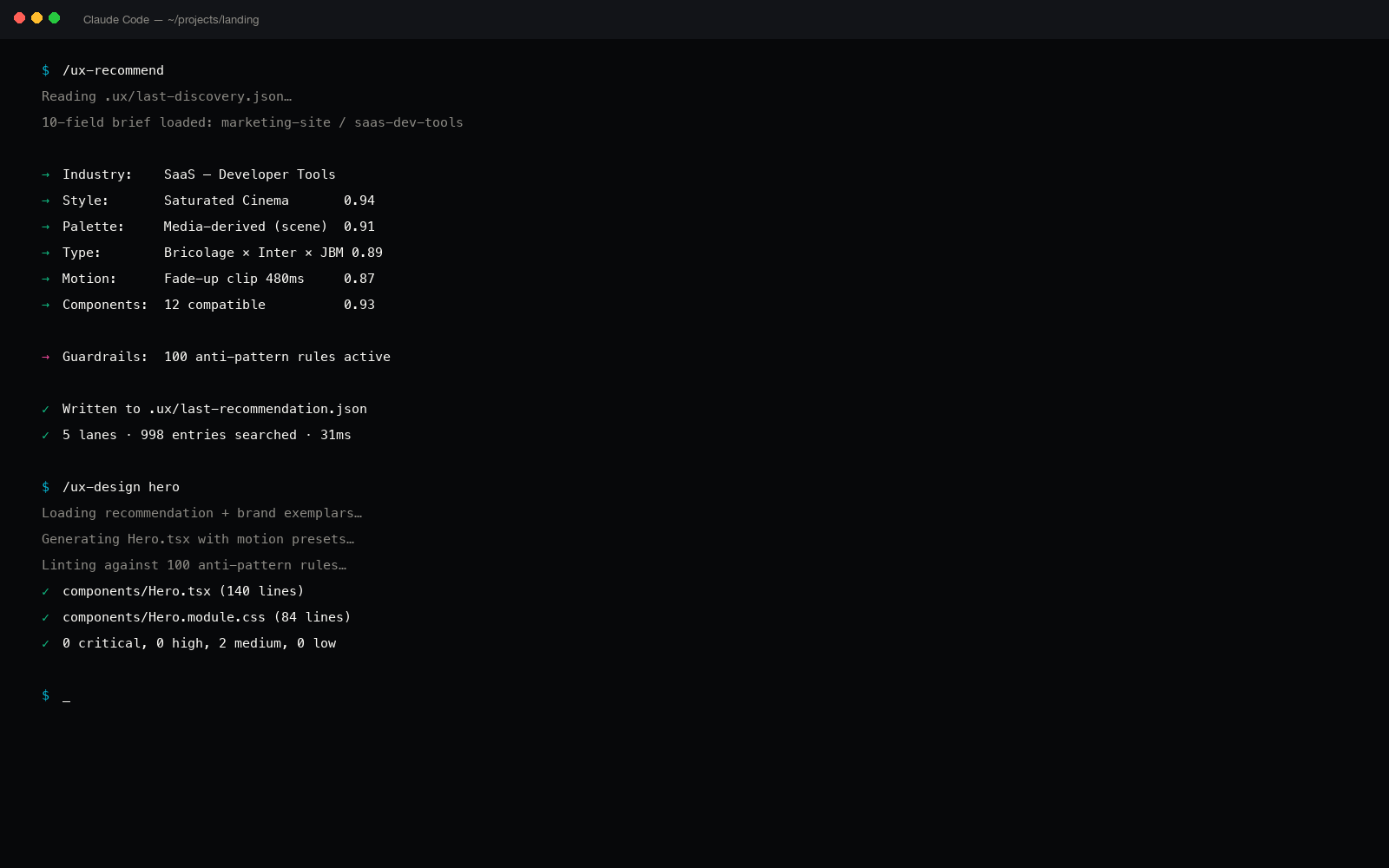
Same recommender pattern as ui-ux-pro-max, deeper on every numeric dimension: 1,243 structured entries, 84 styles, 176 palettes, 160 brand DESIGN.md specs (Apple, Stripe, Linear, Figma, Tesla…), 25 slash commands, 5 specialized sub-agents, and the only deterministic 85-regex anti-slop linter in the marketplace that runs in CI.
$ /plugin install ux@ux-skill
Best for: teams who want a recommender + a deterministic linter + brand-specific specs as queryable manifests, not prose. How the engine works.
stitch-skills: design-system stitching utilities
Component-stitching plugin that merges shadcn/ui primitives with Radix patterns and HeroUI variants into a single consistent component layer. Doesn't generate the design; it stitches a chosen design across your component imports.
$ /plugin install stitch@stitch-skills
Best for: Next.js / React projects already invested in shadcn/ui that need a consistent extension layer.
nothing-design-skill: radical-restraint primer
A taste primer that pushes Claude toward radical minimalism: Nothing-brand-style ASCII-grid, dot-matrix accents, monochrome surfaces. Tight scope, but the output is unmistakable.
$ /plugin install nothing@nothing-design-skill
Best for: projects that need a memorable monochrome identity and can commit to one visual direction.
hallmark: AI-content detector for code
A linter-style plugin that scans for AI-generated content patterns in shipping code: classic filler paragraphs, placeholder copy, generic-tone microcopy. Less rules than ux-skill's 35 but cheaper to install if you only need content-detection.
$ /plugin install hallmark@hallmark
Best for: teams worried about placeholder copy leaking into production builds.
material-3-skill: Material 3 component primer
Focused on Google's Material 3 token system, motion curves, and component conventions. Hands the model the M3 tonal-palette JSON and the named-elevations table so output stays in spec.
$ /plugin install material-3@material-3-skill
Best for: Android-first products or web apps committed to Material 3.
frontend-design-skill: full-stack frontend codegen
The Anthropic-curated frontend-design skill bundled with Claude Code. Generates polished, distinctive interfaces with attention to layout variance, motion, and editorial typography. Pairs cleanly with a recommender like ux-skill or ui-ux-pro-max.
$ /plugin install frontend-design@skills
Best for: teams who want Anthropic's first-party take on distinctive frontend output as a baseline before layering more opinionated plugins on top.
Sequencing the install
Don't install all ten at once. The plugins layer; install order matters. A reasonable sequence:
- Pick one recommender. ui-ux-pro-max if you want the most-installed; ux-skill v2 if you want the deepest catalog plus the linter. Don't run both at the same time on the same task.
- Add one taste primer if your output still drifts. taste-skill, huashu-design, or nothing-design-skill: pick the one that matches your aesthetic.
- Add one component / stitching layer. stitch-skills if you're on shadcn/ui; material-3-skill if you're Material; frontend-design if you want Anthropic's baseline.
- Add one linter. ux-skill's 145-regex linter is the only one with CI-friendly enforcement. hallmark is the lighter content-only path.
- Add open-design if you need tokens. The token-emission side of the workflow.
Five plugins in the install set, each owning a distinct surface. That's the install everyone we know who ships UI inside Claude Code converges to.
Star counts compress what each plugin actually does.
ui-ux-pro-max owns 84,000 stars because it shipped first and the recommender pattern is genuinely sound. ux-skill at 14 stars isn't comparable on awareness; it's comparable on the four nets new (linter, brand specs, motion presets, components) we shipped on top of the same architecture.
The ranking above is by install volume, not by quality. Pick by what you're missing, not by the star count.
Why the design plugins are the most useful slice
Claude Code's marketplace has plugins for productivity, search, data, security, payments. The design and frontend plugins are disproportionately useful because the model's defaults in this domain are the most recognizable. Code defaults are usually fine; design defaults are the AI-generated fingerprint everyone has learned to spot.
A productivity plugin can save you a couple of clicks. A design plugin can keep your output from looking like every other AI-generated landing page on the internet. That's a different order of value.
The marketplace is full of plugins that help Claude do what it already does, slightly faster. The design plugins help Claude do what it doesn't do by default at all.
What we'd install if we started fresh today
If we were building a SaaS app from zero this week, in Claude Code, with no preferences from past projects, the install would be:
ux-skill v2as the recommender + linter (1,243 entries + 35 regex rules).frontend-designas the baseline codegen layer.stitch-skillsfor the shadcn/ui component extension.hallmarkas a content-only safety net for the parts of the codebase that don't run through the ux-skill linter.
Four plugins, no overlap, every install path is MIT, every plugin is in the marketplace. The total install time is under three minutes.
Related reading
- Best Claude Code skills for UX/UI design · 2026 ranking
- Anti-AI-slop tools for Claude Code · the honest ranking
- ui-ux-pro-max alternative: every dimension, side by side
- Cursor design plugin · same engine, different IDE
- Compare ux-skill v2 against the field
- About ux-skill · the project and the maker
- What's coming next on the roadmap
- FAQ · install paths, license, telemetry