MCP server for design intelligence: 14 tools any agent can call.
A slash command is shaped like a prompt template. A skill is shaped like a manifest the host model reads. Neither is composable with other agents. The Model Context Protocol is, and ux-skill v2.1 ships an MCP server that exposes the recommender, the 51-rule linter, and every queryable manifest as 14 tools any MCP-aware host can call. Claude Desktop, Cursor, Windsurf, Cline, Continue, same engine, same Pydantic schemas, same 1,243 entries.
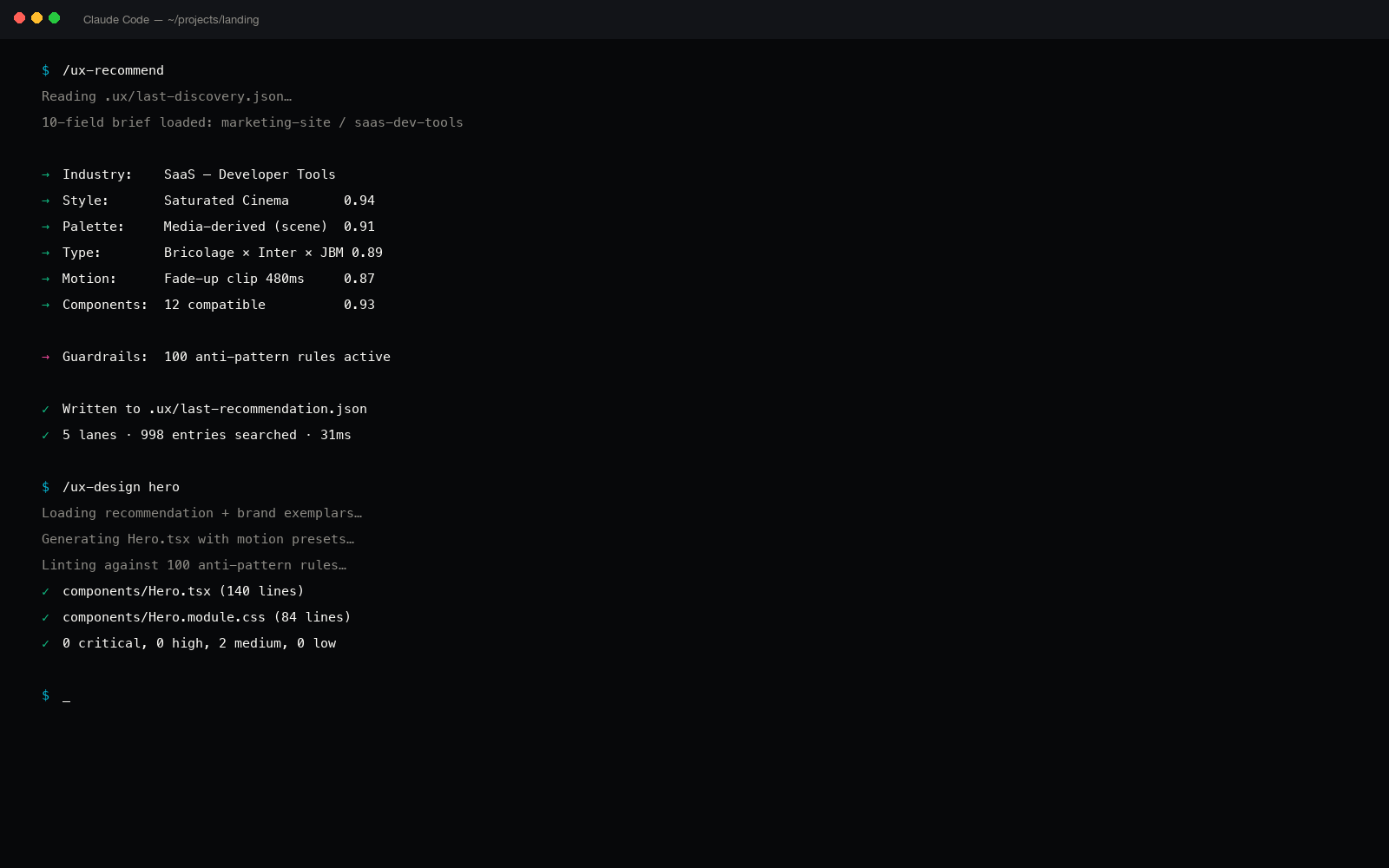
Why MCP, not another skill
Claude Code skills are valuable: low-friction install, single-file manifests, model-friendly markdown. The ceiling is also low: a skill runs inside one host (Claude Code), it can't be invoked by another agent on the same machine, and it can't return structured data, only prose the model has to reparse.
MCP solves the ceiling. Once ux-skill speaks MCP:
- Any agent on the user's machine, Claude Desktop, Cursor's chat, Windsurf's Cascade, a custom Anthropic SDK script, calls the same tools.
- The schemas are typed. Pydantic models on the server, JSON Schema on the wire, validated structure on every call. No "ask the model nicely to format JSON."
- Tools compose. An agent can call
ux_recommend, take the result, pass it toux_lint, then write the output to disk with a different MCP file-server. The 14 tools are nodes in a larger graph. - The catalog is queryable. Want a single component or palette from the manifest? Don't reload the whole skill, call
ux_componentsorux_palettes.
The asymmetric move against ui-ux-pro-max-skill (84,000 stars, Claude-Code-only skill) is not "another skill." It's the same engine, distributed via a protocol they don't yet speak.
The 14 tools, verbatim
Pulled from the TOOLS registry in engine/mcp/server.py. Every tool has a Pydantic input model, a typed handler, and a one-line description that renders in the host's tool picker.
| Tool | What it does | Returns |
|---|---|---|
| ux_recommend | Run the 5-parallel-search recommender against a brief. | System object, style, palette, type, motion, components, brand. |
| ux_lint | Run the 51-rule regex linter over a path. | List of findings (id, severity, file, line, why, fix). |
| ux_styles | Query the 84-style manifest. | Style entries with tokens, voice, intent labels. |
| ux_palettes | Query the 176-palette manifest. | Palettes with hex tokens, intent, contrast ratios. |
| ux_type_pairs | Query the 70 typeface pairings. | Display + body + mono pairs with weights and reasoning. |
| ux_components | Query the 148-component catalog. | Component entries with anatomy, states, and motion bindings. |
| ux_industries | Query the 184 industry rule packs. | Per-industry tone, motion, and color biases. |
| ux_motion_presets | Query the 57 motion presets. | Presets with Framer Motion, GSAP, and CSS snippets. |
| ux_anti_patterns | Read the 51 lint rules as data, not as a runner. | Rule definitions with regex, scope, why, fix. |
| ux_brands | Read one of the 73 brand DESIGN.md specs. | Full brand spec, tokens, ramps, motion, surfaces. |
| ux_landing_patterns | Query landing-page layout patterns. | Pattern entries with sections, IA rhythm, and CTAs. |
| ux_persist_save | Persist a recommendation to .ux/master.json. | Path written, hash, timestamp. |
| ux_persist_load | Load a previously persisted system. | The previously-saved system object. |
| ux_stats | Health check + catalog counts. | Version, entry counts per manifest, build hash. |
Wiring into Claude Desktop
Claude Desktop reads its MCP server list from ~/Library/Application Support/Claude/claude_desktop_config.json on macOS (and the equivalent on Windows/Linux). Add ux-skill as a stdio server pointing at the installed CLI:
// ~/Library/Application Support/Claude/claude_desktop_config.json
{
  "mcpServers": {
    "uxskill": {
      "command": "uxskill",
      "args": ["mcp"],
      "env": {
        "UX_DATA_DIR": "~/.ux-skill/data"
      }
    }
  }
}
Restart Claude Desktop. Open the tools pane, ux-skill's 14 tools appear under uxskill, each with its Pydantic-derived input schema. The agent picks them when relevant, calls them with structured arguments, receives structured responses.
Wiring into Cursor
Cursor honors the same protocol. Edit ~/.cursor/mcp.json (or the project-local .cursor/mcp.json):
// .cursor/mcp.json
{
  "mcpServers": {
    "uxskill": {
      "command": "uxskill",
      "args": ["mcp"]
    }
  }
}
Restart Cursor. The agent panel now lists all 14 tools as MCP-provided. The full Cursor walkthrough covers the rest of the install paths.
Wiring into Windsurf
Windsurf's Cascade reads its MCP server registry from ~/.windsurf/mcp_config.json:
// ~/.windsurf/mcp_config.json
{
  "mcpServers": {
    "uxskill": {
      "command": "uxskill",
      "args": ["mcp"],
      "disabled": false,
      "autoApprove": [
        "ux_stats",
        "ux_styles",
        "ux_palettes",
        "ux_type_pairs",
        "ux_anti_patterns"
      ]
    }
  }
}
The autoApprove list whitelists read-only tools so the agent doesn't prompt for confirmation on every catalog query. Writes (ux_persist_save) still require explicit approval. The full Windsurf walkthrough.
An end-to-end agent call
Here's the actual JSON-RPC exchange the agent and the ux-skill server have when the user asks "recommend a design system for a freight TMS targeting fleet ops." The agent infers the brief, calls ux_recommend, gets a system back, and continues.
// → request: tool call
{
  "jsonrpc": "2.0",
  "id": 8,
  "method": "tools/call",
  "params": {
    "name": "ux_recommend",
    "arguments": {
      "brief": {
        "project_type": "b2b logistics dashboard",
        "industry": "freight / TMS / supply chain",
        "audience": ["fleet operators", "dispatch managers"],
        "tone": ["operational", "trustworthy", "dense"],
        "must_have": ["data density", "keyboard-first"],
        "forbidden": ["playful palette", "hero animations"]
      }
    }
  }
}

// ← response: typed system object
{
  "jsonrpc": "2.0",
  "id": 8,
  "result": {
    "content": [{
      "type": "text",
      "text": "{...full system JSON...}"
    }],
    "structuredContent": {
      "style": { "id": "operational-density", "name": "Operational Density" },
      "palette": { "id": "dispatch-slate", "tokens": { "...": "..." } },
      "type_pair": { "id": "ibm-plex-sans-mono" },
      "motion": { "presets": ["state-flip", "row-highlight"] },
      "components": ["table-dense", "command-palette", "status-pill", "..."]
    }
  }
}
The response is structured. The agent doesn't have to re-parse a prose recommendation; it gets a typed system object and continues to the next step (often ux_lint after generating a surface from that system).
A composed call: recommend then lint
Where MCP earns its keep is composition. Here's a two-step the agent runs without re-prompting the user:
// 1. Compose a system for the brief.
const system = await mcp.call("ux_recommend", { brief });

// 2. Generate surface code using that system (model call).
const html = await model.generate({ system, surface: "hero" });
await fs.write("src/Hero.tsx", html);

// 3. Lint the generated file against the 51 rules.
const findings = await mcp.call("ux_lint", {
  paths: ["src/Hero.tsx"],
  threshold: "high"
});

// 4. If anything fired, ask the model to fix and re-lint.
if (findings.length > 0) {
  const fixed = await model.fix({ html, findings });
  await fs.write("src/Hero.tsx", fixed);
}
Four steps, two MCP calls, no manual handoff. More on the linter loop.
What's inside the server
The server module (engine/mcp/server.py) is roughly 500 lines. Three things matter about its shape:
The tool catalog is a dict, not a decorator forest. Every tool is registered in a single TOOLS: Dict[str, ToolEntry] map. ToolEntry is a triple of (handler function, Pydantic input model, description string). The MCP framework wrapper iterates the dict at startup and registers each entry. This means tests can call handlers directly without importing the mcp library.
The transport is optional. import mcp.server is wrapped in a try/except. If the mcp pip package isn't installed, the module still imports cleanly, the error only fires when you try to run_server(). This keeps uxskill recommend and uxskill lint usable as standalone CLI commands even without MCP installed.
Logging goes to stderr. stdout is reserved for the MCP JSON-RPC protocol stream, anything written there breaks the transport. The logger configuration enforces stderr-only at module import.
The skill manifest is a contract with one host. The MCP server is a contract with every host that speaks the protocol.
Discovering tools the agent doesn't know about
MCP hosts call tools/list on startup to enumerate what each server provides. The ux-skill server returns all 14 with their JSON Schema input definitions. The agent picks at runtime, the user doesn't have to remember a slash command, and the host doesn't have to ship a custom integration. That's the protocol working.
For agents that want to plan ahead, "what categories of design data does this server expose?", call ux_stats first. It returns version, build hash, and entry counts per manifest:
$ mcp call uxskill ux_stats
{
  "version": "2.1.0-alpha.3",
  "build_hash": "a4c1f7e",
  "manifests": {
    "styles": 84,
    "palettes": 176,
    "type_pairs": 70,
    "components": 148,
    "industries": 184,
    "motion_presets": 57,
    "anti_patterns": 51,
    "brands": 73,
    "chart_types": 35,
    "tech_stacks": 25,
    "ux_guidelines": 112
  },
  "total_entries": 1015
}
MCP is young. The protocol moves.
The Model Context Protocol shipped late 2024 and is still version-pinning aggressively. Anthropic's Python SDK is the canonical implementation; the spec stabilized into 1.0 in early 2025. Our server tracks the SDK closely but if you're running an older Claude Desktop build (anything before December 2024) the tool list may not appear, upgrade the host first.
The 14 tools are also still alpha-tier. Names are stable; argument shapes may grow new optional fields. We don't break the contract on existing arguments.
The asymmetric move
ui-ux-pro-max-skill is the most-installed UX skill on GitHub (83,958 stars on 2026-05-28). Its distribution is single-host: Claude Code, via the marketplace, as a manifest. If a Cursor user wants the same recommender, there isn't one.
ux-skill's MCP server side-steps the popularity contest. We don't have to win Claude Code's UX-skill category, we can be present in every MCP-aware host simultaneously. Full side-by-side comparison with ui-ux-pro-max.