GitHub Copilot design rules: catching AI design fingerprints in Copilot output.
GitHub Copilot is the most-installed AI coding assistant in the world. It is also the assistant most consistently flagged for generating the same default-looking Tailwind UI. Copilot accepts custom instructions, but custom instructions alone do not catch the 68 specific patterns the model reaches for. ux-skill is a deterministic linter that runs on top of Copilot output and flags every pattern by line number.
Why Copilot has a design problem
Copilot is excellent at code completion. It was trained on the bulk of public code on GitHub, which means it has seen every variation of every common pattern. When you ask Copilot to design a landing page, it reaches for the median of what its training data showed: Inter as display, the canonical purple-to-blue gradient, three identical pricing cards, and the "Get started"/"Learn more" CTA pair.
This is not a bug. Copilot is doing exactly what it was designed to do: predict the most probable continuation of the prompt. The problem is that "most probable" on design tasks converges to a recognizable look that ships everywhere. We catalog that look in detail in the AI design fingerprints post.
Copilot has two extension points worth knowing: a custom-instructions surface (per repo) and a code-completion stream that is consumable by external tools. ux-skill plugs into both.
The custom instructions file
Copilot reads project-level instructions from .github/copilot-instructions.md. Anything in that file becomes part of the system context for every Copilot suggestion in that repo. ux-skill ships a generator that writes a Copilot-flavored rules file based on the recommender output.
# Initialize ux-skill for Copilot in your repo
$ uxskill init --target copilot

[OK] Wrote .github/copilot-instructions.md
[OK] Wrote .ux/design-system/MASTER.md
[OK] Wrote tokens.css
The generated file is intentionally short. Copilot's system context has a token budget; verbose rules get truncated. ux-skill condenses the 152 anti-patterns into a single 30-line block plus a reference to .ux/design-system/MASTER.md for deeper context.
A real .github/copilot-instructions.md
Here is the file ux-skill generates for a Next.js project after running discovery for a B2B logistics platform:
# Copilot instructions: logistics-platform
# Generated by ux-skill v2.0.0-alpha.1: 2026-05-28

This project uses the editorial-precise design system at .ux/design-system/MASTER.md.
Read that file before generating any visual code.

Hard constraints for every generation:

1. Display type is Fraunces (variable opsz). Body is Inter. Mono is JetBrains Mono.
   Do NOT use Inter as a display font (font-size ≥ 40px or text-5xl and above).

2. Color: cool-neutral surface with a single warm accent. No gradient hero.
   No purple-to-blue gradient family (the #7c3aed / #3b82f6 default). No multi-stop
   gradient with more than three color stops.

3. Layout: asymmetric. No three-equal-card row in a hero or pricing block.
   Use a 7-and-5 split, a bento grid, or a 4-with-one-spanning pattern.

4. Motion: hierarchy-aware. Hero opens; supporting content cascades. Differentiate
   by role: do NOT fade-in-up every direct child. Respect prefers-reduced-motion.

5. Copy: no marketing verbs (Elevate, Seamless, Unleash, Revolutionize, Empower,
   Supercharge, Transform) in headlines. No generic CTAs (Click here, Learn more).
   Use plausible regional names: Maya Iqbal, Adam Levin, Wen Zhang, Layla Haddad.

6. Accessibility: every img has alt + width + height. Every interactive svg has
   aria-label or aria-hidden. No outline:none without focus-visible. No
   placeholder-as-label.

7. Tokens: import from tokens.css. Do not hardcode hex values where a variable exists.
Seven rules, mapped to the categories the linter enforces. Copilot reads this on every completion and biases away from the defaults. The linter then catches what slips through anyway.
The deterministic linter runs over what Copilot writes
Custom instructions raise the floor. They do not set the ceiling. The model still drifts, especially on long generations or when the surrounding code already contains a fingerprint and Copilot pattern-matches against it.
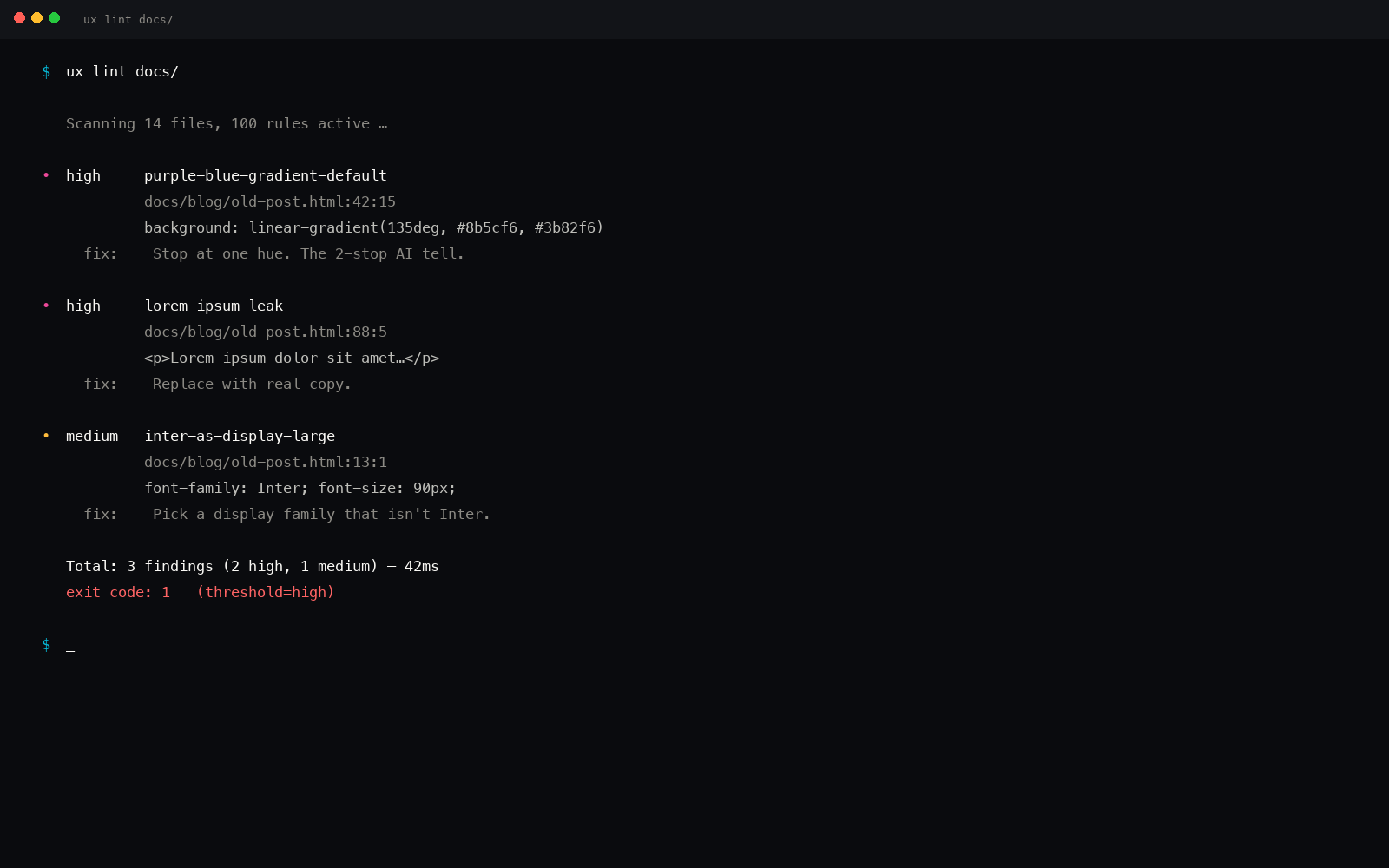
The deterministic floor is the linter. Run it on the diff Copilot just generated, and any fingerprint that survived the instructions surfaces with a line number, severity, and fix.
# Lint the file Copilot just wrote
$ uxskill lint src/components/Hero.tsx --threshold high

[FAIL] 3 findings at threshold high · exit 1

  high  inter-as-display          src/components/Hero.tsx:18
                                  Inter used as display font
                                  fix: pair Inter (body) with Fraunces / Geist / Satoshi

  high  purple-to-blue-gradient   src/components/Hero.tsx:42
                                  Default purple-to-blue AI gradient
                                  fix: single restrained accent against neutrals

  high  three-equal-card-grid     src/components/Hero.tsx:96
                                  Three equal cards in a row
                                  fix: asymmetric layouts (bento, 7-and-5, 4 with one spanning)
No LLM call, no token budget, no flakiness. The linter is regex over JSON. Average pass on a 200-file repo: 380 milliseconds cold, 90 milliseconds warm. Documented in the regex linter post.
Copilot plus ux-skill, side by side
Same prompt to Copilot Chat: "build a hero section for a payments dashboard."
| Surface | Copilot alone | Copilot plus ux-skill |
|---|---|---|
| Display type | Inter at text-7xl |
Fraunces variable at text-6xl |
| Background | Tailwind purple-to-blue gradient | Cool-neutral surface, single warm accent |
| Layout | Three equal pricing cards | 7-and-5 split with one feature spanning |
| Hero copy | "Beautiful payments, seamlessly" | "The reconciliation layer your finance team never shipped" |
| CTA | "Get started" / "Learn more" | "Book a 20-minute demo" / "See the data flow" |
| Motion | fade-in-up on every child | Hero opens; supporting content cascades |
| Lint result | 3 high findings, 4 medium | 0 high, 0 medium |
Same Copilot. Same prompt. Different generation, because the custom instructions and the linter make defaults expensive and explicit choices easier.
Copilot is a great accelerator. ux-skill is the constraint layer that makes its output specific.
The two install paths
Two ways to wire ux-skill into a Copilot workflow. Pick one or both.
Path A: instructions file plus local linter
$ pip install uxskill
$ uxskill init --target copilot   # writes .github/copilot-instructions.md
$ uxskill discover                # 10-field brief, saves to .ux/last-discovery.json
$ uxskill recommend               # runs 5-parallel-search, picks the system
$ uxskill persist save --project-root .

# Then, after Copilot generates code:
$ uxskill lint src/ --threshold high
The instructions file biases Copilot during generation. The linter catches drift after. Both run locally; neither requires a Copilot API key or any GitHub-side configuration.
Path B: GitHub Actions gate
For repos where you want a non-negotiable design floor, wire the linter into GitHub Actions. Every PR push runs the linter; high-severity findings block the merge.
# .github/workflows/ux-lint.yml
name: ux-lint

on:
  pull_request:
    paths:
      - '**/*.tsx'
      - '**/*.jsx'
      - '**/*.vue'
      - '**/*.css'
      - '**/*.html'

jobs:
  lint:
    runs-on: ubuntu-latest
    steps:
      - uses: actions/checkout@v4
      - uses: actions/setup-python@v5
        with:
          python-version: '3.11'
      - run: pip install uxskill
      - run: uxskill lint --threshold high
What ux-skill ships for Copilot users
- 68 deterministic regex rules in the anti-slop linter. No LLM judgment.
- One
.github/copilot-instructions.mdgenerator viauxskill init --target copilot. - 959 structured entries across 12 JSON manifests covering styles, palettes, type pairs, motion, components, industries, brands.
- 160 brand DESIGN.md specs. Reference them in the instructions file so Copilot has concrete exemplars.
- 5-parallel-search recommender that picks the system from a 10-field brief in about 140 milliseconds.
What ux-skill does not do for Copilot
Be specific about the limits:
- No Copilot-side intercept. The linter runs against files on disk, not against the Copilot completion stream. Closing that loop would require a VS Code extension; we ship a generator and a CLI, not an extension.
- No Copilot Chat plugin. Copilot Chat does not expose a third-party plugin API the way Claude Code does. The integration surface is the instructions file plus the linter.
- Not a code generator. ux-skill picks the system; Copilot generates the code; the linter catches drift. Three lanes, deterministic at the edges.
The honest framing of the integration.
This is a partial integration. Copilot is closed source; we cannot intercept its completion stream. What we can do is shape the instructions Copilot reads and lint the code it writes. Both are mechanical, deterministic, and offline.
If you want the deepest possible integration, install ux-skill as a Claude Code plugin too and use Claude Code as your primary design surface, with Copilot as the autocomplete-everywhere layer. The two coexist comfortably.
The 5-minute Copilot setup
End to end from a fresh checkout, Copilot already configured:
pip install uxskill: about 6 seconds.uxskill init --target copilot: writes.github/copilot-instructions.mdand the.ux/directory.uxskill discover: 10-field interactive brief, about 90 seconds typing.uxskill recommend: about 200 milliseconds.uxskill persist save --project-root .: writes MASTER.md, tokens.css, manifest.json.- Commit those files. Copilot reads them on the next completion.
- Run
uxskill lint src/after any significant generation. Block on high or critical.
Total wall-clock from pip install to working linter: under five minutes. Total cost: zero. License: MIT. No telemetry, no API key, no account.
How it compares to Copilot custom instructions alone
Copilot has had custom instructions for some time. Why does the linter add anything?
- Instructions are advisory. The model can ignore them, especially on long generations.
- Instructions are unverifiable. There is no signal that they were followed.
- The linter is verifiable. It is regex over the file Copilot wrote. Either the pattern matched or it did not.
- The linter is auditable in CI. Every PR gets a deterministic report, attached as an artifact, reviewable by anyone.
The instructions reduce the rate of slop. The linter sets the non-negotiable floor. Use both.