Vibe coding is real: but your AI still ships the same defaults.
Vibe coding is the practice of describing the vibe and letting the model ship the code. The velocity is real and it is not going back. The problem is that the output reads as generated: same body face stretched into a display role, same recognizable gradient over white, same trio of equal cards under the fold. ux-skill is the rules layer that sits under the vibe and catches the defaults before they merge.
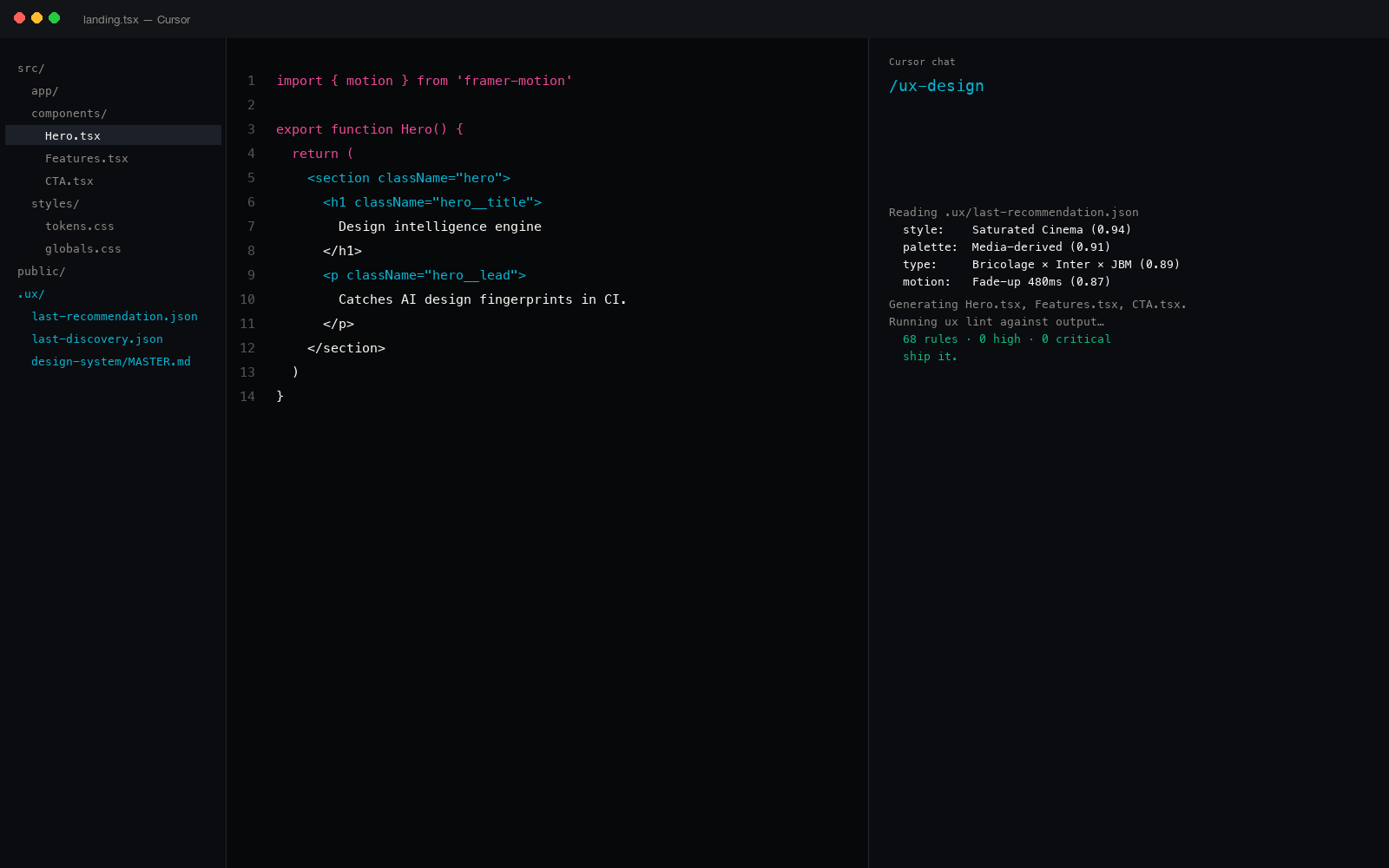
What "vibe coding" actually means in 2026
The term started as a half-joke in X threads in February and ended up on the cover of a few VC essays by April. The serious version of the definition: you describe intent in natural language, the model shapes the implementation, and your job moves from typing to reviewing. Andrej Karpathy's original framing said the quiet part out loud: you do not write the code, you steer it.
For frontend work the vibe is sharp. A single prompt yields a working hero, a working nav, a working signup. In a Cursor or Claude Code session, the round trip from idea to running page is now measured in minutes, not hours.
The trade is taste. The model has its own opinions, baked in from training data that overweighted a small set of startup-landing aesthetics from 2021-2024. Without something to push back, the vibe always lands in the same place.
The recognizable AI fingerprint, in one paragraph
Body face stretched to display sizes around 88-96 pixels. A multi-stop gradient sweeping from indigo through violet to a blue endpoint. A trio of identical cards on a 3-column grid under the hero, each with a small icon, a one-word title, and a one-sentence subtitle. Generic placeholder copy where real product nouns belong. Hairline 100-weight body type that breaks on Windows ClearType. A fade-in-up animation on every direct child of every section, regardless of role.
None of those are wrong on their own. The fingerprint is the combination. You see one of them and shrug. You see four of them in the same fold and you know which tool generated the page.
Vibe coding gave you the velocity. The defaults are what is going to make every site look the same.
Why prompt engineering alone does not fix it
The instinct is to add more text to the prompt. "Avoid the default gradient." "Use a serif display face." "Do not stack three equal cards." It works for one screen, then the next prompt forgets and the defaults return. Prompt-only steering is probabilistic and decays with context length.
What the workflow needs is a deterministic floor: a check that runs after the model writes, every time, without an LLM in the loop. That is the gap ux-skill fills. The recommender narrows the model's choices upfront. The linter punishes the model when the defaults slip through anyway.
How ux-skill plugs into the vibe-coding workflow
The package ships as a single Python module with three install paths: Claude Code plugin, pip install uxskill, or npx uxskill. Once installed, the engine exposes 25 commands across 17 IDEs. The most-used four cover the full vibe loop end to end:
| Step | Command | What it does | Output |
|---|---|---|---|
| 1. Brief | ux discover | 10-field forced intake: project type, audience, tone, must-haves, anti-list, references. | .ux/last-discovery.json |
| 2. System | ux recommend | Five parallel lookups over the 1,243-entry catalog (industry, style, palette, type, motion) merged into one structured system. | tokens.css, manifest.json |
| 3. Generate | any vibe-coding tool | Cursor, Claude Code, Cline, Codex, Windsurf, Aider (whichever shipped the prompt) write the surface against those tokens. | Component code in your repo |
| 4. Gate | ux lint | 145 deterministic regex rules over the generated code. Zero LLM cost. Exits non-zero on any high or critical finding. | JSON findings · CI fail |
The brief takes two minutes. The recommender finishes in under three seconds on a 2023 MacBook Air. The lint runs in 90 milliseconds warm on a 200-file Next.js repo. None of those steps require a token spend on a third-party API. The whole loop is offline-capable once the package is installed.
The brief is the forcing function
The single highest-leverage move in vibe coding is to write the brief before you write the first prompt. The model needs constraints; the human needs to confront the choices before delegating them.
ux discover is an interactive prompt with ten fields. The order is fixed: project type, audience, primary goal, tone in 3-5 words, must-haves, forbidden list, brand references, density, motion budget, and accessibility floor. The forbidden field is the one that does the actual work: it is where you name the defaults you do not want.
$ ux discover

[project_type]      landing
[audience]          B2B logistics ops in MENA, 30-50 headcount
[primary_goal]      demo booking
[tone]              precise, calm, confident, technical
[must_have]         RTL, AA accessibility
[forbidden]         indigo-to-blue gradient, three equal cards under hero,
                    body face used at display size, hairline 100 weight,
                    fade-in-up on every child
[references]        Stripe (clarity), Linear (density), The Browser Company
[density]           comfortable
[motion]            subtle, scroll-triggered, no autoplay
[a11y_floor]        WCAG AA, 44px touch targets

# written to .ux/last-discovery.json
Every later command reads from that file. The recommender uses the forbidden list to filter candidate palettes and motion presets out. The linter uses the must-haves to upgrade the default threshold (RTL adds direction and bidirectional-icon rules; AA adds contrast and target-size rules).
The 145 rules, in one paragraph
The lint catalog is 100 entries today, up from 35 at the v2.0.0 cut. Each rule is a regex paired with a severity (low, medium, high, critical), a category (Typography, Color, Layout, Content, Motion, A11y, Quality, Visual, Performance), a one-line why, and a one-line fix.
The highest-severity entries map directly to the AI fingerprint: body face at display sizes, the canonical gradient over white, the three-equal-card pattern, the placeholder-name leak, the emoji-as-icon stamp, the marketing verb in the headline, the inline style attribute, the missing alt text on the hero image, the viewport tag that blocks pinch-zoom. None of them require an LLM call. All of them run in milliseconds.
The full taxonomy is documented in the AI design fingerprints list, and the engineering write-up is in the regex-linter-for-AI-coding post. Same engine, two angles.
What changes in the editor
Inside Claude Code, Cursor, Windsurf, Cline, Continue, Codex, Aider, or Roo Code, the workflow looks like this once ux-skill is installed:
- You type a prompt. The model has the design system in its context (every IDE picks it up from
tokens.css+manifest.json+ the.cursorrules/CLAUDE.md/.windsurfrulesfile the engine emits). - The model writes the code with the brand-specific tokens instead of its defaults.
- You save the file. A pre-commit hook runs the lint. If the diff includes a high-severity finding, the commit aborts with the rule id, the line, and the one-line fix.
- You ask the model to fix the finding. It has the rule id in its context window. The fix lands in seconds.
- The next commit goes through.
There is no manual review step where you mentally compare the output to your taste. The taste lives in the brief, the system, and the lint. You stay in vibe mode; the rails keep the vibe from rolling into the ditch.
The honest comparison against pure prompt-only steering
| Approach | Where rules live | Cost per check | Drift after 1000 lines |
|---|---|---|---|
| Prompt-only | Instructions block in .md | 0 | High: context decay |
| LLM judge in CI | Prompt run by Claude or GPT | ~$0.04 per push | Medium: nondeterministic |
| Custom ESLint plugin | JavaScript AST rules | ~200ms | Low: but you wrote them |
| ux-skill lint | 145 regex rules · 1,243-entry catalog | ~90ms | Low: deterministic |
Regex catches structural fingerprints, not taste.
The lint will never catch "the rhythm of this section is wrong" or "the copy reads cold." Those are review calls. What regex does catch is every fingerprint that has a literal token, class name, hex value, or DOM shape, which is most of the AI defaults, because the model reaches for the same artifact every time.
If you want a taste pass on top of the lint, /ux-critique ships in the same package and runs in your editor on demand. We deliberately do not run it in CI; CI is for the deterministic floor.
How it pairs with Cursor and Claude Code specifically
Cursor reads from .cursorrules at the repo root and .cursor/rules/*.mdc under it. Claude Code reads from CLAUDE.md at the repo root and project-scoped ~/.claude/projects/<hash>/CLAUDE.md. ux-skill writes to both formats from the same recommendation. There is one source of truth (.ux/design-system/MASTER.md) and three derivatives (Cursor, Claude Code, plain tokens.css).
Walkthroughs: Cursor install, Windsurf install, GitHub Copilot install, Zed install, JetBrains install.
The vibe is the velocity. The rules are the floor.
The interesting fight in 2026 is not whether vibe coding wins; it already won for everything under a thousand lines. The interesting fight is whether the output keeps looking like every other vibe-coded page on the internet, or whether teams put a floor under it.
ux-skill is the floor. 100 rules, 1,161 catalog entries, 160 brand specs, 25 commands, 17 IDEs, 75 tests under the engine. MIT-licensed. No telemetry. The recommender raises the model's median; the linter sets the floor. The vibe is yours.
Related reading
- The AI design fingerprints every AI coding tool ships by default, the taxonomy.
- Regex linter for AI coding: 145 rules in CI without an LLM, the engineering write-up.
- Anti-AI-slop tools for Claude Code: the honest ranking, where ux-skill fits.
- Python design system generator: the 5-parallel-search recommender, how the system gets built.