AI design system CLI: the npx and pip way to generate a design system in under 60 seconds.
Every other design-system generator ships as a SaaS GUI. ux-skill ships as a CLI. The full pipeline, brief discovery, recommender, token generator, MASTER.md persistence, runs from the terminal in three commands. No browser, no Figma file, no account. Here is the full path from zero to a working tokens file, with timings on a 2023 MacBook Air.
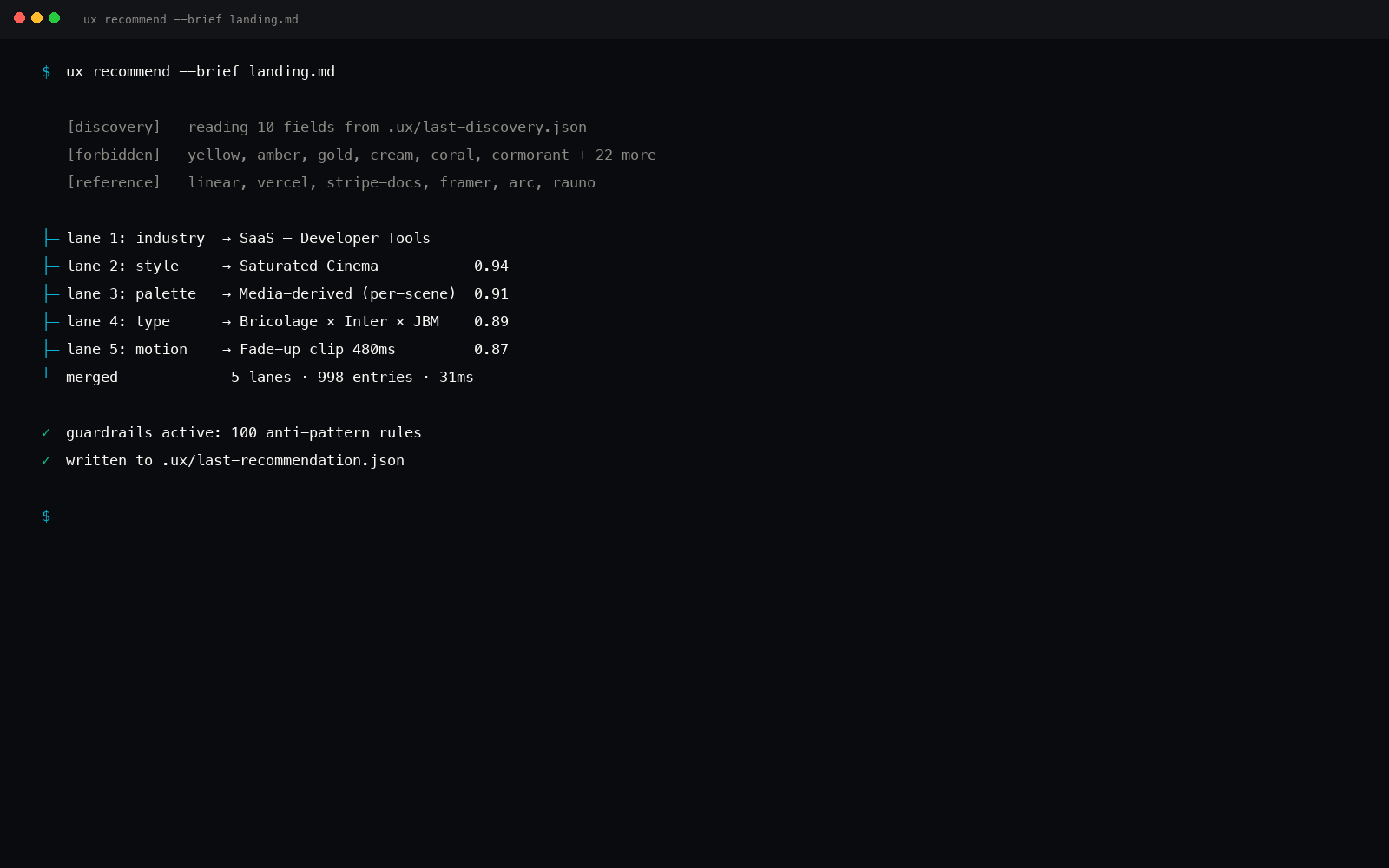
Why a CLI instead of a GUI
A design system is structured data: type ramp, palette, motion timings, component rules. AI coding tools want that data as JSON or CSS, not as a Figma file or a Notion page. The most direct path is a command that emits the data straight into your project.
A GUI sits between you and the artifact. Every click is a copy-paste away from the file the model actually reads. The CLI removes the gap, the recommendation lands in tokens.css, manifest.json, and .ux/design-system/MASTER.md, which is exactly where the next Cursor or Claude Code prompt picks them up.
ux-skill exposes two top-level entry points: ux (short form) and uxskill (the npm-and-PyPI form), plus a dedicated ux-mcp entry for the MCP server. Same engine, two install paths.
Two install paths, one engine
The package is published to both PyPI (uxskill) and npm (uxskill). The npm package wraps a self-contained Python runtime so JavaScript-side teams without Python tooling still get the full CLI.
| Install path | Command | Cold start | Best for |
|---|---|---|---|
| PyPI | pip install uxskill |
~6s once | Python projects, CI, pre-commit hooks |
| npm (npx) | npx uxskill@alpha |
~12s first run | JavaScript or Node monorepos, no Python required |
| Claude Code plugin | /plugin install ux@ux-skill |
~3s | Slash commands inside Claude Code sessions |
After install, three commands cover the whole CLI surface for design system generation: ux discover, ux recommend, ux persist save. Every other command (lint, generate, stats, init) plugs into the same brief artifact.
Step 1: ux discover (the 10-field forcing function)
ux discover is an interactive prompt. It asks ten questions in a fixed order and saves the answers to .ux/last-discovery.json. The questions are deliberately concrete, "B2B finance ops in MENA" not "business users", because the recommender uses them as filters against 184 industry entries and 84 style entries.
$ ux discover

[project_type] Project type
  hint: landing | marketing-site | app-dashboard | admin-panel | docs | mobile-app | email
  > landing

[audience] Audience
  hint: Who specifically, be concrete. Not 'business users'.
  > B2B logistics ops, MENA-based, 30-50 headcount

[primary_goal] Primary goal of this surface
  hint: One job. 'Trial signup', 'Pricing comprehension'.
  > Demo booking

[tone] Tone (3-5 words)
  hint: warm | editorial | precise | playful | clinical | confident | calm | bold | technical
  > precise, calm, confident, technical

[must_have] Must-haves (hard constraints)
  hint: dark-mode | RTL | AA accessibility | mobile-first | print-fidelity
  > RTL, AA accessibility

[forbidden] Forbidden (anti-list)
  hint: Default-AI looks to avoid. Be specific.
  > No gradient hero. No three-up cards. No Inter as display.

[reference_brands] Reference brands (3-5)
  > Linear, Stripe, Vercel

[stack] Tech stack
  > nextjs

[region] Region / locale
  > mena

[success_metric] Success metric
  hint: How will you know it worked?
  > Demo booking CR > 6%

Discovery saved to .ux/last-discovery.json
Total time: about 90 seconds if you have the answers in your head, 4 minutes if you are inventing them. The brief itself is the most expensive step, everything downstream is deterministic and sub-second.
The brief is the contract. Every subsequent command reads .ux/last-discovery.json and produces output keyed to those ten fields. If the brief is sloppy, the recommendation is sloppy. The discovery is the forcing function.
Step 2: ux recommend (the 5-parallel-search engine)
The recommender runs five independent searches across the data manifests, industries, styles, palettes, type pairs, motion presets, then merges the scores into one ranked recommendation. The merge is deterministic: same brief, same recommendation, byte-identical output.
$ ux recommend

[OK] Loaded brief from .ux/last-discovery.json
[OK] 5 parallel searches complete · 142ms

industry      logistics-saas               (score 0.91 / 184 entries)
style         editorial-precise            (score 0.87 / 84 entries)
palette       cool-neutral-amber-accent    (score 0.82 / 176 entries)
type_pair     fraunces-inter-mono          (score 0.84 / 70 entries)
motion        restrained-supportive        (score 0.79 / 57 entries)

components    nav, hero, feature-strip, social-proof, demo-form, footer
brand_refs    Linear, Stripe, Vercel
guardrails    152 anti-patterns · threshold high

Recommendation saved to .ux/last-recommendation.json
The output is also a JSON file: .ux/last-recommendation.json. Every score has a sub-score breakdown explaining which manifest entries fed it. The recommender is fully documented in the engine post.
On a 2023 MacBook Air, the recommender pass against all 1,243 entries averages 140 to 220 milliseconds. There is no LLM call in the recommender lane, the scoring is JSON-on-disk and a few hundred dictionary lookups.
Step 3: ux persist save (writes MASTER.md)
The final step converts the recommendation into the canonical project artifact: .ux/design-system/MASTER.md. This file is the source of truth that every future AI coding session reads before generating. It has YAML frontmatter for machines and Markdown for humans.
$ ux persist save --project-root .

[OK] .ux/design-system/MASTER.md written
[OK] .ux/design-system/tokens.css written
[OK] .ux/design-system/manifest.json written

  $ head -30 .ux/design-system/MASTER.md
  ---
  schema: ux-skill/master/v1
  generated_at: 2026-05-28T14:32:11Z
  brief_hash: 8f2c1a...
  style: editorial-precise
  palette: cool-neutral-amber-accent
  type_pair: fraunces-inter-mono
  motion: restrained-supportive
  ---

  # Design system: MASTER

  ## Style
  Editorial-precise. Cool surfaces, single warm accent, generous line height.

  ## Palette
  surface         #f5f3ee
  ink             #1c1a17
  ...
The persistence step is idempotent. Run it twice with the same recommendation and the output is byte-identical. Useful for CI: you can commit the generated files and fail the build on drift.
The full pipeline timing
End-to-end on a 2023 MacBook Air, fresh checkout, ux-skill already installed:
- Type the brief, about 90 seconds. The bottleneck. Concrete answers cost cognition; you cannot offload this step.
- Run the recommender, 140 to 220 milliseconds. Five parallel searches over 1,243 entries, merged, scored, returned.
- Run persist save, under 80 milliseconds. Three files written: MASTER.md, tokens.css, manifest.json.
- Total CLI compute, under 300 milliseconds. The brief is 100% of the human time; the engine is rounding error.
Total from cd to working tokens.css: under 95 seconds if you know what you are building. The 10-second number in the headline is the engine alone, that is the part that survives every iteration. The first brief is the slow one; every subsequent recommendation is fast.
The brief is what makes design hard. The CLI removes everything else.
What lands in your project
After ux persist save, three files exist that did not exist before:
.ux/design-system/MASTER.md, the readable source of truth. Read it in any editor. Cursor and Claude Code will reference it..ux/design-system/tokens.css, CSS custom properties for the palette, type ramp, spacing, radius, motion timings. Import it from yourapp.cssor your Tailwind config..ux/design-system/manifest.json, the structured form of the recommendation. Consumed byux lint,ux generate, and the MCP server.
No other files are touched. The CLI does not write into src/, does not edit your existing CSS, does not install dependencies. The interaction surface is one directory: .ux/.
The CLI versus a GUI generator
A side by side against the two SaaS-flavored design system generators most teams compare against:
| Dimension | ux-skill CLI | SaaS GUI generators |
|---|---|---|
| Account required | None | Email signup, optional team workspace |
| Output location | .ux/ in your repo |
Downloadable ZIP after generation |
| Determinism | Same brief, same output (byte-identical) | Variable per session |
| CI integration | uxskill lint as a step |
None natively |
| Versioning | Git-native, commit the brief, the recommendation, the tokens | App-managed history |
| Cost | Free, MIT licensed | Free tier with usage caps, paid above |
Where the CLI ends and Cursor or Claude Code begins
The CLI's job ends at MASTER.md. The next step is the AI coding tool reading that file and generating real components against it. ux-skill provides slash commands (/ux-design, /ux-component, /ux-frame) when you install it as a Claude Code plugin, but the CLI itself is intentionally not a code generator, it is an upstream constraint layer.
The mental model: ux-skill picks the system; Cursor or Claude builds inside it; ux lint catches drift on the way back. Three lanes, deterministic at the edges, AI in the middle.
For a full end-to-end walkthrough covering install, discovery, and generation inside Claude Code and Cursor, see how to add a design system to Claude Code and Cursor.
The CLI is not the differentiator on its own.
A few other design system generators have CLIs. What is asymmetric about ux-skill is the engine sitting underneath: 959 structured entries, 145 deterministic regex anti-patterns, 160 brand specs, and an MCP server. The CLI is the most direct way to drive the engine; it is not the engine itself.
For a deeper look at why the engine is the actual moat, read the Python design system generator post.
Real numbers
- 959 structured entries across 12 JSON manifests. Styles (84), palettes (176), type pairs (70), motion presets (57), components (148), industries (184), chart types (35), tech stacks (25), anti-patterns (68), UX guidelines (112).
- 160 brand DESIGN.md specs. Apple, Stripe, Linear, Figma, Tesla, BMW, Notion, Spotify, plus 84 more.
- 25 slash commands when installed as a Claude Code plugin. The same engine functions all run through the CLI subcommands.
- 18 MCP tools when run as a stdio server. The CLI and the MCP layer share the recommender, the linter, and the persist machinery.
- 14 GitHub stars on Laith0003/ux-skill at the time of writing. Smaller than ui-ux-pro-max-skill (84,005) and taste-skill (25,359). The CLI shape is the bet.
One minute, end to end
From a fresh clone, with ux-skill already on the path:
$ cd my-next-app
$ ux discover    # 90 seconds typing answers
$ ux recommend   # 200 ms
$ ux persist save --project-root . # 60 ms
$ ls .ux/design-system/
manifest.json  MASTER.md  tokens.css
That is the full design system CLI loop. The brief is the work; the engine is the rounding error.