Claude Desktop + MCP design intelligence, ux-skill as a stdio server.
None of the top eight Claude Code design skills ship a Model Context Protocol server. ux-skill v2 does. The same Python engine that powers the CLI also registers as an MCP stdio server with 14 tools, so any MCP-aware host (Claude Desktop, Cursor, Windsurf, custom agents) can call the recommender, the linter, and the brand library directly. This is what plugging it into Claude Desktop looks like.
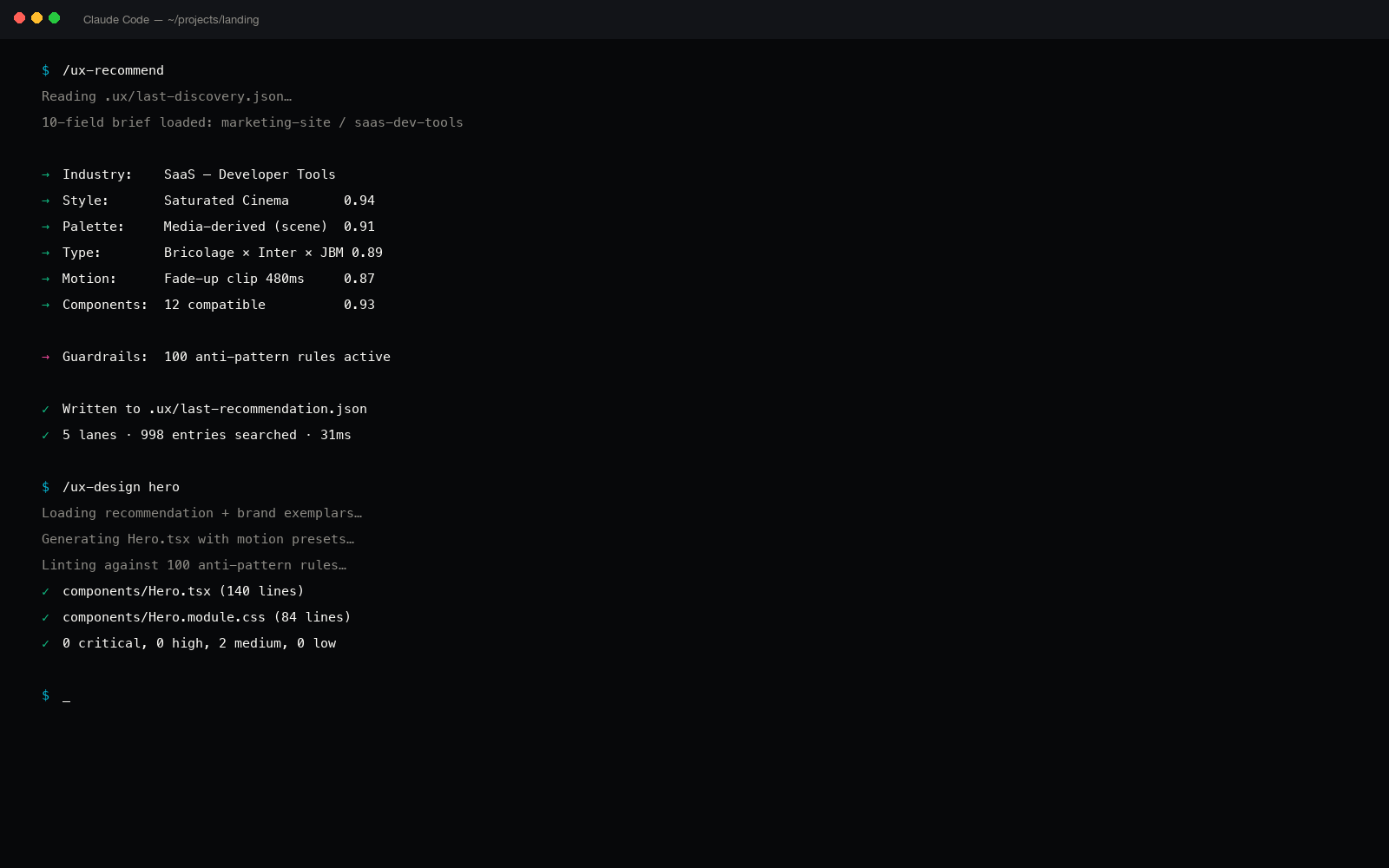
The asymmetric MCP move
Model Context Protocol is the standard for letting an AI host call tools that live in a separate process. Anthropic's reference docs describe it as a stdio or HTTP server speaking JSON-RPC. The protocol is two years old and increasingly the canonical way to extend an AI surface beyond its built-in tools.
The interesting fact about the Claude Code design ecosystem is that almost none of the high-star skills ship an MCP server. ui-ux-pro-max-skill (84,005 stars) is a slash-command skill. taste-skill (25,359 stars) is a prompt-only primer. hallmark (2,182 stars) is a CLI. None expose their primitives through MCP.
ux-skill v2 ships 14 MCP tools as a first-class surface. The CLI and the MCP server share the same engine; the protocol is just a different transport over the same logic. That means Claude Desktop, which has no concept of "slash commands" the way Claude Code does, still gets the recommender, the linter, the 160 brand specs, and the persist layer.
The 14 tools, listed
From engine/mcp/server.py, the registered tool dict:
| Tool | Role | Returns |
|---|---|---|
ux_recommend |
5-parallel-search recommender | style + palette + type pair + motion + components + brand exemplars |
ux_lint |
Anti-AI-slop regex linter | Findings with rule id, severity, file, line, fix |
ux_styles |
Read all 84 style entries | Array of style manifests |
ux_palettes |
Read 176 palette entries, mode filter | Array of palette manifests |
ux_type_pairs |
Read 70 display+body+mono pairs | Array of type-pair manifests |
ux_components |
Read 148 component descriptions, category filter | Array of component specs |
ux_industries |
Read 184 industry biases | Array with style/palette/type biases per domain |
ux_motion_presets |
Read 57 motion presets, category filter | Array with easing, duration, stagger |
ux_anti_patterns |
Read 68 regex rules, severity filter | Array of rule manifests with detection + why + fix |
ux_brands |
Read 160 brand specs | Array of brand DESIGN.md manifests |
ux_landing_patterns |
Read proven landing-page section patterns | Array of landing-pattern manifests |
ux_persist_save |
Write MASTER.md to project root | Path + byte-hash of the written file |
ux_persist_load |
Read MASTER.md back | Structured dict or not-found |
ux_stats |
Engine version + per-manifest counts | Health-check JSON |
Every tool has a Pydantic input model with explicit schema, validated on every JSON-RPC call. Bad inputs return a structured error rather than crashing the server.
The Claude Desktop config block
Claude Desktop reads its MCP server list from one file. On macOS that file is at ~/Library/Application Support/Claude/claude_desktop_config.json. On Windows it is %APPDATA%/Claude/claude_desktop_config.json. On Linux it is ~/.config/Claude/claude_desktop_config.json.
Add ux-skill as a stdio server pointing at the dedicated ux-mcp entry point that ships with the package:
// ~/Library/Application Support/Claude/claude_desktop_config.json
{
  "mcpServers": {
    "uxskill": {
      "command": "ux-mcp",
      "args": [],
      "env": {}
    }
  }
}
That is the whole config. ux-mcp is the entry point registered in pyproject.toml: it resolves to engine.mcp.server:run_server after pip install uxskill. No path manipulation, no shell expansion, no virtualenv juggling.
Two install paths to the server
The MCP server is a Python program. There are two ways to get it on your PATH so Claude Desktop can invoke it.
Path A: system Python (simplest)
# Install uxskill globally with pipx (recommended) or pip
$ pipx install uxskill
$ which ux-mcp
/Users/you/.local/bin/ux-mcp

# Verify the server starts
$ ux-mcp </dev/null
ux-skill MCP server starting on stdio. version=2.0.0-alpha.1 tools=14
^C
Once which ux-mcp returns a path, the Claude Desktop config above will resolve it correctly. Restart Claude Desktop after editing the JSON file; the server starts on the next session.
Path B: virtualenv pinned to the project (advanced)
If you prefer to pin ux-skill to a specific virtualenv (useful for monorepos with reproducible builds), point the config at the absolute path:
{
  "mcpServers": {
    "uxskill": {
      "command": "/Users/you/projects/your-monorepo/.venv/bin/ux-mcp",
      "args": [],
      "env": {
        "UX_DATA_DIR": "/Users/you/projects/your-monorepo/data"
      }
    }
  }
}
The UX_DATA_DIR env var is optional: it lets you override the bundled JSON manifests with project-specific overrides. Useful when you want to extend the brand library or seed an internal palette set.
What it feels like in a session
After the config is in place and Claude Desktop is restarted, the model gains access to the 14 tools through MCP. A typical session looks like this:
# You
> Pick a design system for a Saudi B2B logistics platform.
  Audience is dispatchers, 30 to 50 headcount, RTL primary.
  Reference brands: Linear, Stripe, Vercel.

# Claude calls ux_recommend({...brief...})
[tool call] ux_recommend · 142ms

# Claude renders the response
Recommendation:
  style       editorial-precise
  palette     cool-neutral-amber-accent
  type_pair   fraunces-inter-mono
  motion      restrained-supportive
  brand_refs  Linear, Stripe, Vercel
  guardrails  35 anti-patterns at threshold high

I'll save this to your project. Want me to write MASTER.md?

# You
> Yes, project root is ~/Documents/logistics-platform

# Claude calls ux_persist_save
[tool call] ux_persist_save · 64ms
  wrote .ux/design-system/MASTER.md (3,184 bytes)
  wrote .ux/design-system/tokens.css (1,920 bytes)
  wrote .ux/design-system/manifest.json (4,512 bytes)
Two tool calls, the design system lands in the project. The same flow works in Cursor (after pasting the same JSON into ~/.cursor/mcp.json), in Windsurf, and in any custom MCP client.
MCP is the right shape for cross-IDE design intelligence. The CLI is one transport; MCP is the other.
What the protocol gets right
Three things make MCP a better surface for design intelligence than a per-IDE plugin:
- One implementation, many hosts. The same Python server speaks to Claude Desktop, Claude Code, Cursor, Windsurf, and any future MCP client. No per-IDE adapter, no version skew.
- Structured I/O. Every tool has a JSON schema. The host validates inputs before the call, so the engine never sees malformed payloads.
- Stdio means no network. The server runs locally as a subprocess of the host. No firewall holes, no API key, no telemetry. The engine never makes an outbound request.
Performance
Average tool latencies on a 2023 MacBook Air, server already warm:
| Tool | p50 latency | Payload size |
|---|---|---|
ux_stats | 3 ms | ~500 bytes |
ux_styles | 8 ms | ~52 KB |
ux_palettes | 14 ms | ~118 KB |
ux_brands | 22 ms | ~280 KB |
ux_recommend | 142 ms | ~6 KB |
ux_lint (200 files) | 410 ms | varies |
ux_persist_save | 64 ms | ~12 KB |
The numbers are dominated by JSON serialization, not by the engine. The recommender's 5-parallel-search lane completes in about 45 ms; the rest of the 142 ms is shaping the response.
Why this matters for Claude Desktop specifically
Claude Desktop is a chat client, not an IDE. It has no .cursorrules, no slash commands, no project-aware file picker. The only way to extend it is through MCP. That makes Claude Desktop the host where the MCP-versus-plugin distinction matters most:
- A skill that only ships as Claude Code slash commands is invisible to Claude Desktop users.
- A skill that only ships as a Cursor extension is invisible to Claude Desktop users.
- A skill that ships an MCP server reaches every MCP-aware host, including Claude Desktop, Cursor, Windsurf, Cline, Continue, and any future client.
About the "only" claim.
"None of the top eight Claude design skills ship MCP" is accurate at the time of writing (May 2026). The top eight by GitHub stars are ui-ux-pro-max-skill (84,005), open-design (54,000), taste-skill (25,359), huashu-design (15,000), stitch-skills (5,700), nothing-design-skill (2,400), hallmark (2,182), material-3-skill (955). Their repos do not include an MCP server implementation today.
That could change. The MCP surface is a structural advantage, not a permanent one. ux-skill is 14 stars at the time of writing; the bet is that the protocol is the right shape regardless of distribution.
Cross-host parity
The same MCP config works in every host. For reference, the config files for the major MCP-aware clients:
| Host | Config path | Same JSON block? |
|---|---|---|
| Claude Desktop (macOS) | ~/Library/Application Support/Claude/claude_desktop_config.json | Yes |
| Claude Desktop (Windows) | %APPDATA%/Claude/claude_desktop_config.json | Yes |
| Cursor | ~/.cursor/mcp.json | Yes |
| Windsurf | ~/.codeium/windsurf/mcp_config.json | Yes |
| Cline (VS Code extension) | cline_mcp_settings.json in workspace | Yes |
| Continue | ~/.continue/config.json, mcpServers key | Yes |
Same five-line entry (command: ux-mcp, args: []) works everywhere. Write it once, paste it five times.
The 60-second setup
End to end from a clean macOS install with Claude Desktop already installed:
pipx install uxskill: about 18 seconds on a clean Python.- Open
~/Library/Application Support/Claude/claude_desktop_config.jsonin your editor (create it if missing). - Paste the five-line
uxskillblock from earlier into themcpServersobject. - Restart Claude Desktop.
- Ask the model to "use ux_recommend to pick a design system for X." The tool call fires; the recommendation lands.
Total: under a minute. Total cost: zero. License: MIT. No telemetry, no account, no outbound network traffic.